Gameboy Advance
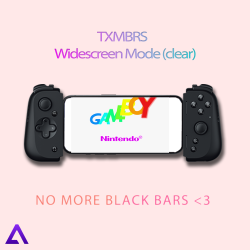
I'm bringing you my first creation here This skin turns every GBA game into a fake widescreen version...
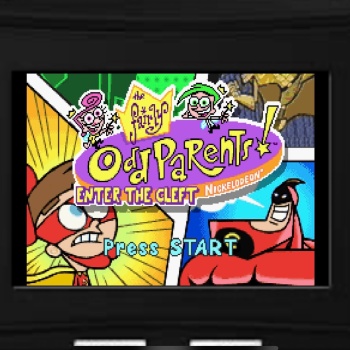
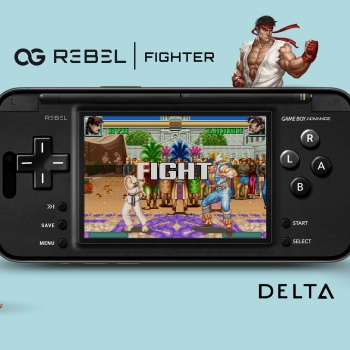
This was one of my earliest DeltaSkin designs I put out back in May of 2024, being released through the Delta Emulator community on Reddit. So, figured I'd make some of my older designs available through DeltaStyles. This is a GameBoy Advance DeltaSkin in a DS Lite inspired design. Named "Fighter" for the added "Fighter" buttons (L+R) above the A+B buttons cluster. Making for a better gameplay experience for games like StreetFighter and other faster paced action games that utilize the L+R buttons. The L & R bumper buttons were kept to keep the DS/WiiU aesthetic and still work as intended in case you prefer the clase style play method. This is only a landscape skin ...
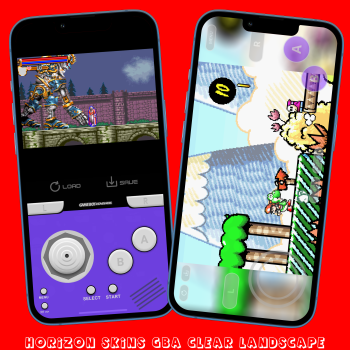
GAMEBOY ADVANCE skin with a landscape transparent skin it has a ToogleFastForward, QuickLoad, QuickSave and a 'console' looking landscape mode with ToogleFastForward and QuickSave and QuickLoad, all seems to work well. Compatibility Edge to Edge Display, iPhone X and above so anything higher should be fine. Not compatible with iPhone SE Gen 1-3. The top part of the screen in landscape mode is ToogleFastForward just touch it. This skin has a thumbstick instead of a D-PAD. For best results set Controller Opacity to 50% in Delta settings. This skin has hidden buttons useful for games like Metroid.PLEASE NOTE: this skin is not compatible with Manic Emu which has issu...
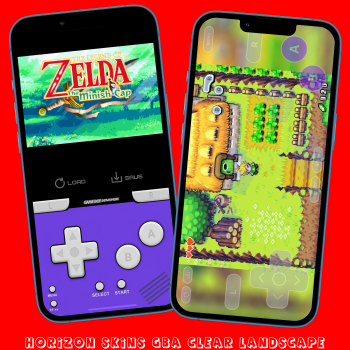
GAMEBOY ADVANCE skin with a landscape transparent skin it has a ToogleFastForward, QuickLoad, QuickSave and a 'console' looking landscape mode with ToogleFastForward and QuickSave and QuickLoad, all seems to work well. Compatibility Edge to Edge Display, iPhone X and above so anything higher should be fine. Not compatible with iPhone SE Gen 1-3. The top part of the screen in landscape mode is ToogleFastForward just touch it. For best results set Controller Opacity to 50% in Delta settings. This skin has hidden buttons useful for games like Metroid.PLEASE NOTE: this skin is not compatible with Manic Emu which has issues with overlaying two screens. Any bugs or a...
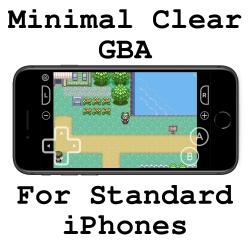
A minimal clear fullscreen control layout for landscape orientation on "Standard" iPhones. The controls are placed to be a comfortable size while minimizing obstructions over the screen space and still having the largest possible screen size. It also supports having the transparency adjusted within Delta's control settings. Buttons are from "Switch Button Icons and Controls" by Zacksly (https://zacksly.itch.io) (License: “CC BY 3.0"). Some buttons have been slightly modified to improve aesthetics in the control layout....
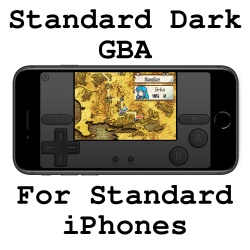
Modified version of starvingartist's Nightfall GBA skin. (https://deltastyles.com/skins/124-nightfall-gba). A dark GBA skin for "Standard" iPhones, including a portrait and landscape mode. If you're only interested in the portrait skin, you may want to use the original linked above instead. I couldn't find any landscape GBA skins for standard iPhones that satisfied me, so I made this. The landscape screen is as large as it can be without sacrificing aesthetics or comfort. Compared to an original GBA screen's measurements, it's about 1mm wider (on 4.7" iPhones). Importantly, the landscape screen is also bigger than the portrait screen, by about 3.5mm in width (on 4.7" iP...
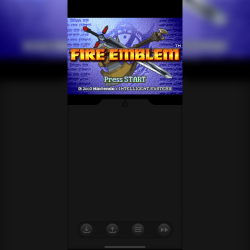
Delta GameBoy Advanced Skin designed to be compatible with the 8BitDo Micro Controller with the clip on attachment. ...
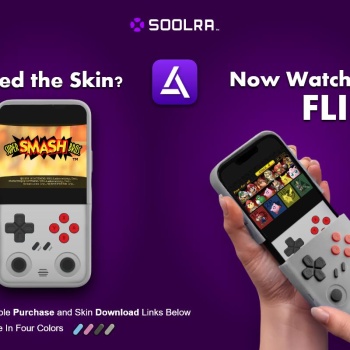
Soolra Mobile Pro Controller – Game Boy Advance Skin Drop this skin on your Game Boy Advance setup in Delta and rock the Soolra Mobile Pro Controller with handheld legend energy. Built for those who grew up on cartridges and never stopped gaming...
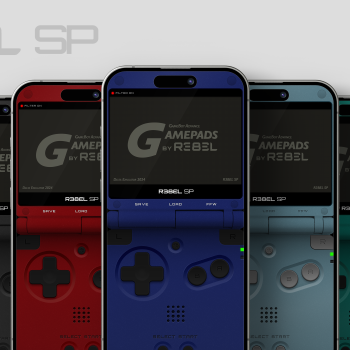
ALL NEW GameBoy Advance Delta Skin Color Variations [R3BEL SP] Please leave me your feedback and let me know if you like them, love them, or hate them. As always, all feedback is welcome. :) RELEASE NOTES: Supports Edge-to-Edge iPhones only. Available in Portrait Only. Available with both Filtered and Non-Filtered Screens (there is a Filter On/Off Label above the screen for reference). The Quick Save, Quick Load, and FFW buttons are labeled just below the game screen for easy access and to keep the original SP look as much as possible. In addition to the labeled quick utility functions there is also a hidden "Hold to FFW" button on top of the g...
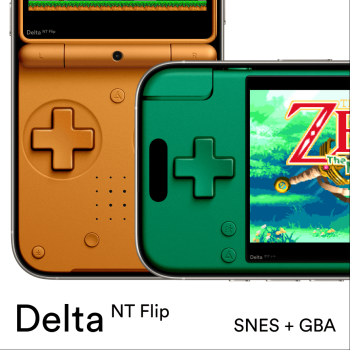
Delta NT Flip is a sort of cross between an Analogue Pocket, a 2DS XL, and a Game Boy Advance SP– built on the foundation of the Delta Pocket design! This preview includes the Orange edition for SNES, and the Green edition for GBA. If you love this layout, check out the full collection, which includes 14 Classic Colors, 28 Special Editions, and 12 Transparent Editions– all available for both SNES and GBA! Features: Portrait mode hides the notch/dynamic island Lower button positioning than Delta Pocket Detailed textures and shading GBA Color Correction and SNES Pixel Perfect modes Combo Buttons: Tap (or slide) between any two face buttons ...
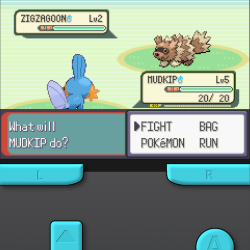
Features: Fast-Forward button Quick Save/Load (tap right side of game screen for quick save, tap left side for quick load) Portrait and Landscape Sized for iPhone 14 Pro, 15, 15 Pro, and 16; has only been tested on an iPhone 16. Message me on Discord if you want this in other colors...
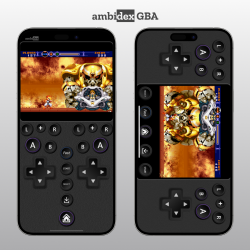
Features: Unique ambidextrous design allows for standard, one-thumb, and reverse control options. Comfortable layout for playing slower games like RPGs with just one thumb. GBA-inspired button colours Dedicated fast forward and quicksave buttons. Combo buttons: press in-between A+B to trigger both at the same time. + button presses L+R. Compatible with all edge-to-edge display iPhones, plays best on Plus/Max-sizes ...
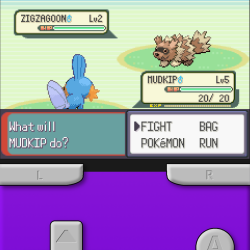
Features: Fast-Forward button Quick Save/Load (tap right side of game screen for quick save, tap left side for quick load) Portrait and Landscape Sized for iPhone 14 Pro, 15, 15 Pro, and 16; has only been tested on an iPhone 16. Message me on Discord if you want this in other colors...
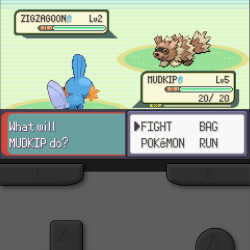
Features: Fast-Forward button Quick Save/Load (tap right side of game screen for quick save, tap left side for quick load) Portrait and Landscape Sized for iPhone 14 Pro, 15, 15 Pro, and 16; has only been tested on an iPhone 16. Message me on Discord if you want this in other colors...
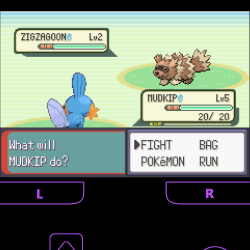
Features: Fast-Forward button Quick Save/Load (tap right side of game screen for quick save, tap left side for quick load) Picture-in-Picture space at the top* Landscape Mode Included *A little bit of the top of the game screen will be cut off by the picture-in-picture player, for the sake of still leaving a reasonable amount of room for the buttons while maximizing game screen size. Sized for iPhone 14 Pro, 15, 15 Pro, and 16; has only been tested on an iPhone 16. Message me on Discord if you want this in other colors...
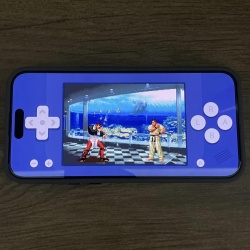
I prepared a new skin where all 4 buttons are close to each other. It can be useful for fighting games or other similar games. I made it by trying to combine a minimalist design with the largest possible game screen size. You can touch the game screen and so toogle fast forward. It is compatible with all iPhones with or without a notch. Also, Don't forget to set the controller opacity to 100% to see the real colors. If you have any criticisms about the design, please state them. If you want to buy me a coffee...
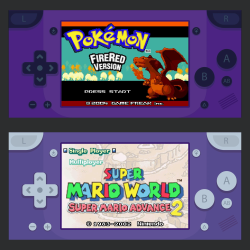
I have prepared a new skin by trying to combine a minimalist design with the largest possible game screen size. You can touch the game screen and so toogle fast forward. There are quick save, quick load, A/B buttons. It is compatible with all iPhones with or without a notch. Also, Don't forget to set the controller opacity to 100% to see the real colors. If you have any criticisms about the design, please state them. If you want to buy me a coffee...
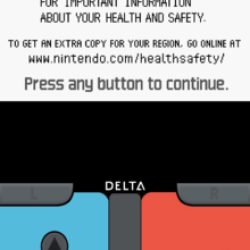
Ever wondered how the Game Boy advance would look like as a switch? No? Well here's the skin anyway Disclaimer: I did not create this can I am just reposting it from this website: https:deltaskins.github.iogba.html...
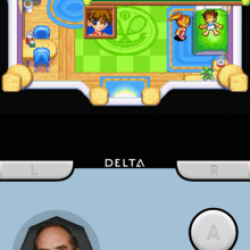
It's American Splendor cool, right? Disclaimer: I did not create this, I am just reposting it from this website: https://delta-skins.github.io/gba.html...