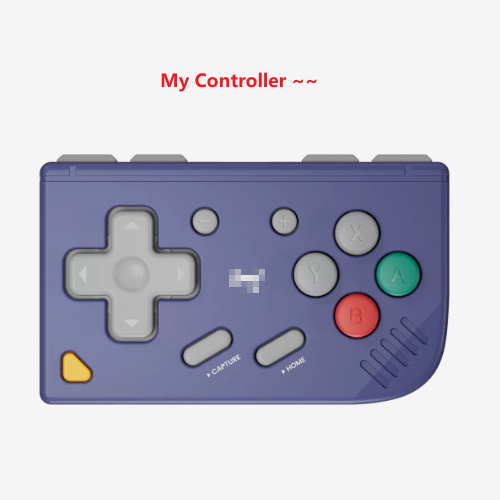
An NDS Portrait Layout for the Delta Emulator, Designed Specifically for Physical External Controllers
Key Features
- Minimalist Layout: Virtual buttons removed, keeping only a `DELTA` menu button.
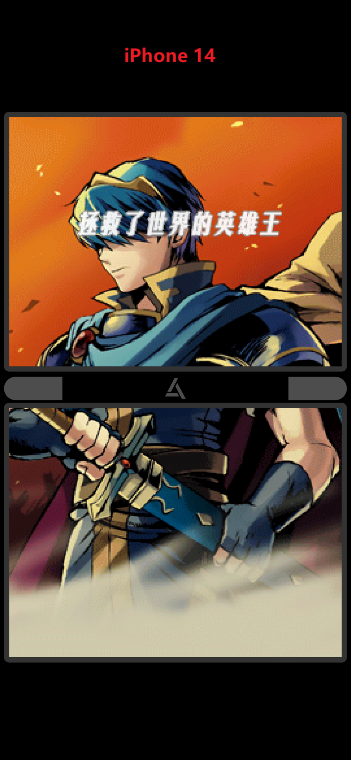
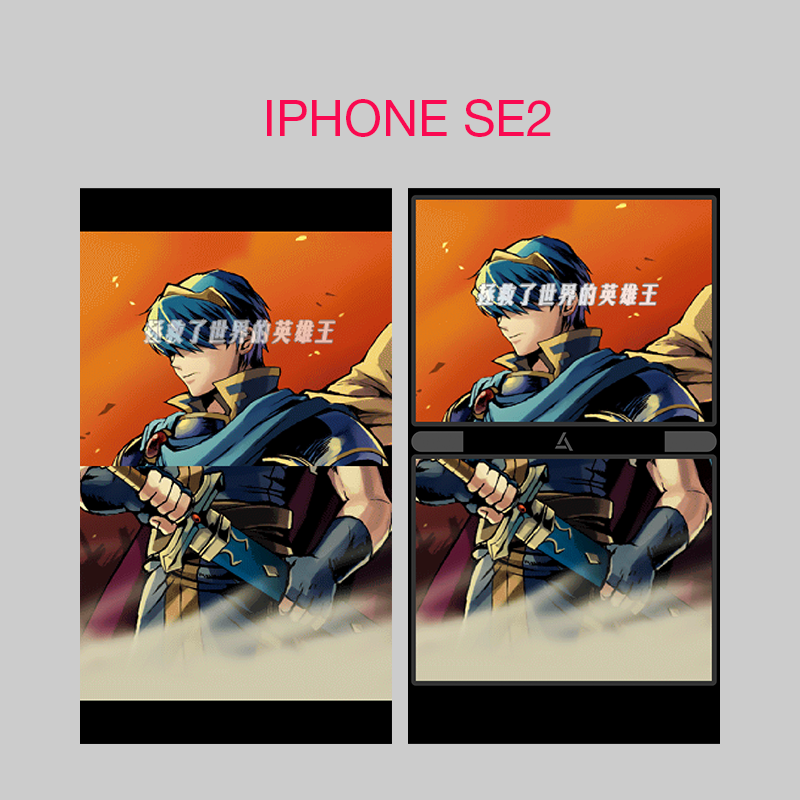
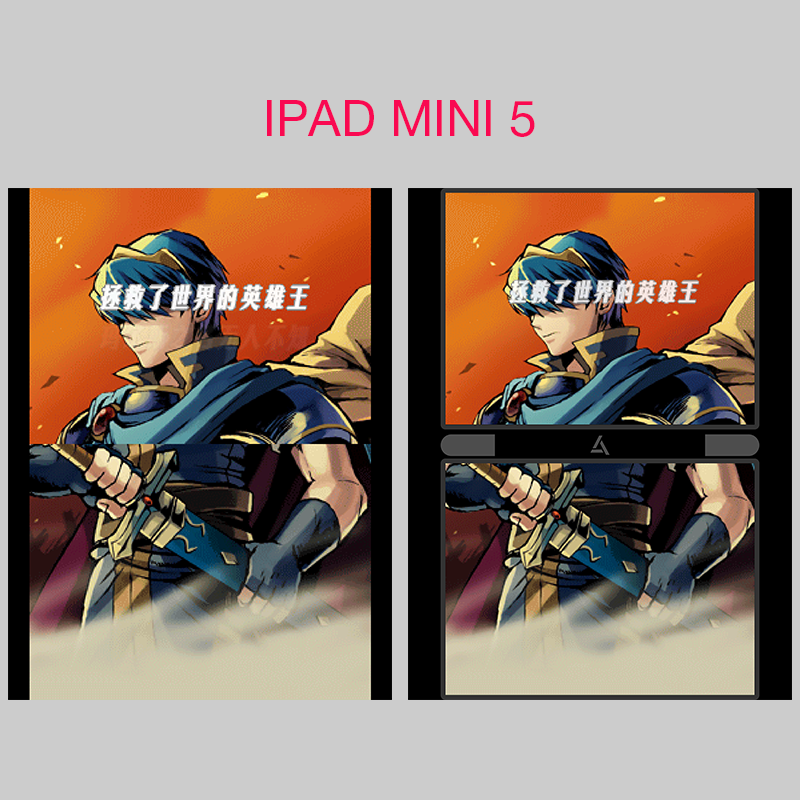
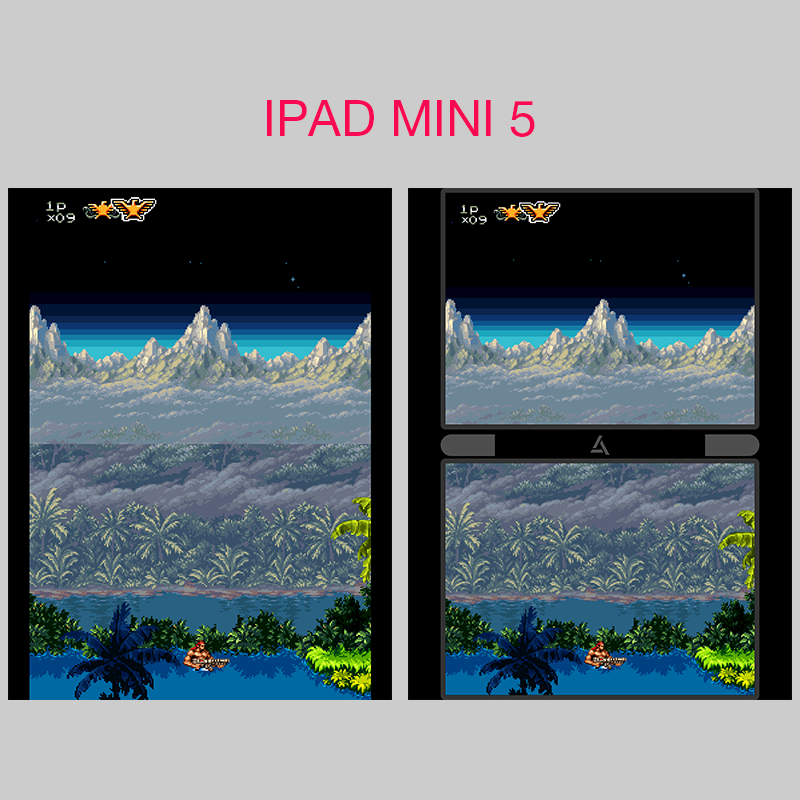
- Screen Alignment: Original NDS resolution (256x384) scaled 2x to (512x768) and adapted to screen limits.
- Handheld Experience: Black borders and a 32-pixel gap between dual screens mimic real hardware.
- Compatibility: Portrait only, supporting iPhone Standard, EdgeToEdge, and iPad Standard.
- Editing: Included PDF retains Adobe Illustrator features for personal adjustments.
Feel free to share your experiences in the comments!
Picture this
It’s lunch break. You put your headphones on, prop your phone comfortably onto a desk stand, lean way back into your chair, and cross your legs. Your hands are resting easily on your stomach, casually holding that tiny, sleek card‑sized Bluetooth controller.
The screen lights up with your favorite game (P.S. Please tell me it’s Fire Emblem). Now, you don't have to deal with the old ways anymore—hunching over a DSi or your phone until your neck aches, holding it up until your arms go numb, or lying down only to have it slip and smash right into the bridge of your nose.
As the familiar BGM kicks in, you’ve quietly slipped into an adventure that is entirely your own. If a coworker happens to stroll past your desk, they’ll just catch a glimpse of the screen and assume you’re just watching a game video. No one is going to barge in and interrupt you with: “Hey, what’s that? What are you playing?”
Who would have guessed that you’re not just a bystander, but already the main hero saving the world? Just thinking about having that pure, private pocket of gaming time is enough to make you smile.
If your phone screen happens to be roomier than my SE2, or if you happen to have an iPad right by your side—the immersive visual rush of that massive screen, the noise-isolating audio in your ears, paired with a completely hands-free, laid-back posture... the whole experience is just pure bliss.
It’s not about showing off to anyone. It’s just that in the middle of a long, exhausting day, you deserve to enjoy the game you love in the most comfortable, zero-burden way possible.
原版中文描述
专门针对外接物理手柄设计的 Delta 模拟器 NDS 竖屏布局
主要特性
- 极简布局: 移除所有虚拟控制器按键,仅保留一个 `DELTA` 标志的菜单按钮
- 画面对齐: 基准画布中,将 NDS 原分辨率(256x384)进行 2 倍等比例放大(512x768),并由 DELTA 自适应至屏幕极限
- 掌机体验: 屏幕四周保留黑框,双屏之间的保留单倍32像素间距,使其更贴近真实掌机体验
- 设备兼容: 仅支持竖屏布局,适配 iPhone Standard、iPhone EdgetoEdge、iPad Standard
- 二次开发: ZIP 压缩包内的 PDF 保留了 Adobe Illustrator 编辑功能,以便于自行微调
欢迎大家在评论区分享实际使用体验
想象一下
午休时间,你戴上耳机,把手机安稳地往桌面支架上一放,整个人陷进椅背,悠闲地翘起二郎腿。手舒服地搭在小腹上,手心里正握着那枚精巧的蓝牙卡片小手柄。
屏幕亮起,是你最爱的那款游戏(P.S. 不会刚好是火焰纹章吧)。现在,你也不用像以前一样,捧着 DSi 或者手机,低头久了颈椎酸痛,举高平视手臂发麻,躺着手一滑正中鼻梁。
伴随着熟悉的 BGM,你已经悄悄潜入了属于你的冒险世界。身边偶尔有同事路过,瞥一眼也只会以为你正戴着耳机看游戏视频,绝不会有人凑过来打扰你:“嘿,这啥呀?玩啥呢?”
谁能想到,此时的你早就成了拯救世界的绝对主角。这种纯粹、私密的游戏时光,只是想想就让人心动。
如果你的手机屏幕比我的 SE2 更宽广,或者你手边恰好有一个 iPad——那种把大屏拉满的视觉冲击、隔绝噪音的耳边音效,配合完全解放双手的慵懒坐姿,游戏体验简直爽到飞起!
不是为了向谁炫耀,只是在漫长的一天里,想要最舒服、最毫无负担地享受一会儿自己热爱的游戏呀。
Comments
Please log in to leave a comment.