Landscape skins
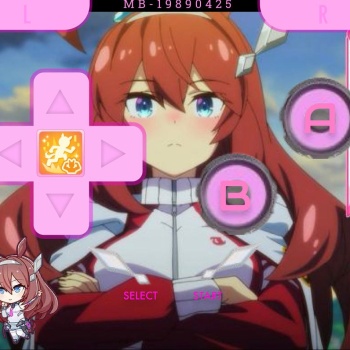
My first delta skin, This is for the GBA! This skin is a passion-made skin of my favourite character from the franchise Umamusume, i hope any like-minded people who like Mihono Bourbon or Umamusume as a whole can enjoy this skin. Please dm me on discord (xashley2007) for any character skins you want (doesn't just have to be Umamusume but if non-umamusume more details will need to be provided.)...
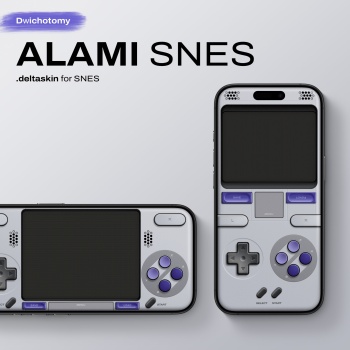
Alami SNES is a SNES inspired skin for Delta. By integrating iconic design elements from both the console and the controller, it brings the feel of the original hardware to your phone. The controls are shifted lower to follow the natural rest position of your thumbs, helping to minimize strain during long sessions. Available in NTSC and PAL / Super Famicom variants with CRT filter. Portrait & Landscape mode. Display Variants: Default [Flat CRT]: Custom flat screen CRT filter specifically tuned to simulate phosphor glow and 4:3 aspect ratio Non-Filtered [Filter OFF]: Clean, raw pixels for maximum brightness and clarity. Hidden Shortcuts: Fast Forward:...
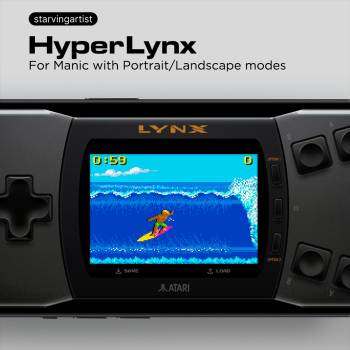
For Atari Lynx on ManicI'm trying out an evolution of the iconic Atari Lynx II design with a sleek, modern feel. Landscape mode features the classic Lynx II layout with fully functional mirrored top and bottom buttons. Portrait mode for a new way to play. Shortcuts: Reset: Pause + Option 1 Flip Screen: Pause + Option 2 If this skin adds a little joy to your gaming, you can support me by buying me a coffee! Many thanks! ☕❤️ ~ starvingartist...
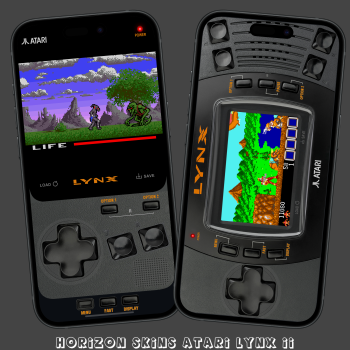
This is a ATARI LYNX skin for Manic EMU, it has a 'console' looking portrait mode with FastForward, QuickLoad, QuickSave and a 'console' looking landscape modes with FastForward and QuickSave and QuickLoad, all seem to work well. Compatibility Edge to Edge Display, iPhone X and above so anything higher should be fine. Not compatible with iPhone SE Gen 1-3. Tried to keep the screen BIG in landscape as much as I could fitting in with the look of the LYNX. Restart Button is the POWER LED. Pause button is the (⏸) pause symbol. OPTION 1 and OPTION 2 buttons which vary from game to game. The landscape skin has two A and B buttons just like the real console.Works with M...
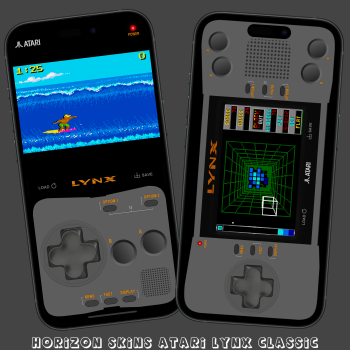
This is a ATARI LYNX skin for Manic EMU, it has a 'console' looking portrait mode with FastForward, QuickLoad, QuickSave and a 'console' looking landscape modes with FastForward and QuickSave and QuickLoad, all seem to work well. Compatibility Edge to Edge Display, iPhone X and above so anything higher should be fine. Not compatible with iPhone SE Gen 1-3. Tried to keep the screen BIG in landscape as much as I could fitting in with the look of the LYNX. Restart Button is the POWER LED. Pause button is the (⏸) pause symbol. OPTION 1 and OPTION 2 buttons which vary from game to game. The landscape skin has two A and B buttons just like the real console.Works with M...
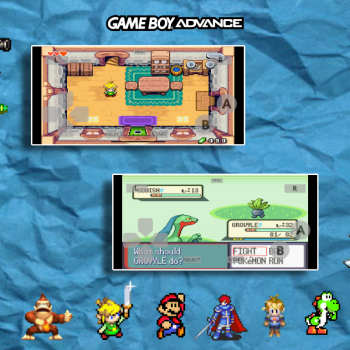
Both options are for your preference. Personally I love the widescreen....
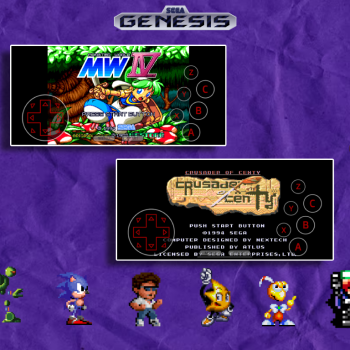
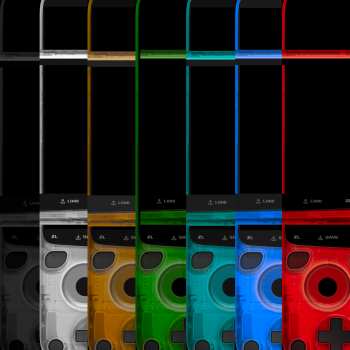
I did not create or program any of these skins. The original creator is @starvingartist and 100 percent credit goes to them. I just love their 3DS and DS atomic skins and wanted to play some games in different colors. Once I figured out how to make it work for myself I was happy, but I felt the need to share in case anyone else felt the same but couldn't do the editing and importing for themselves. Huge thank you to @starving artist for their amazing 3DS controller scheme and beautiful artwork! *These colors only work for edge-to-edge screens. If used on standard sized phones the color will revert to it's original purple.*Included colors :Black White Gold Lime Green ...
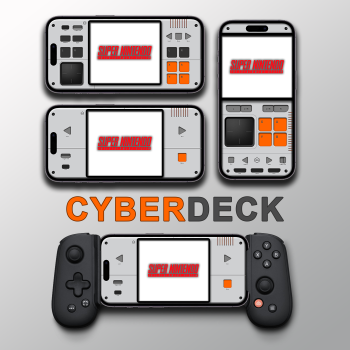
Works on edge-to-edge screens Includes Quick Save/Load Works in landscape and portrait It works on the controller Portrait / Landscape Basic : Cyberdeck-SNES.deltaskin Controller for Controller : Cyberdeck-forController-SNES.deltaskin // Tested on iPhone 14...
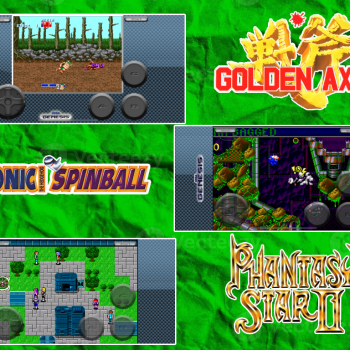
These skins are based on the early 2009 ios SEGA games. (standard versions coming soon)...
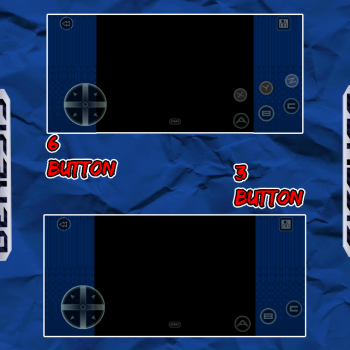
These SG skins are based on the SEGA Forever ios game overlays that are no longer avalable on the appstore. There is a 3 button and a six button....
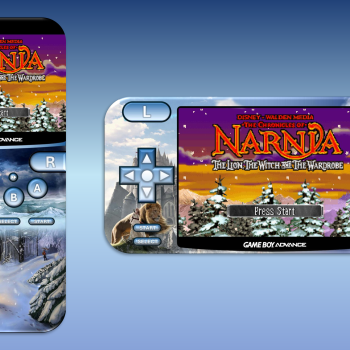
Features a skin for the fantasy series "The Chronicles of Narnia" for both portrait and landscape views. Was playing Narnia on GBA and thought it would be nice to have a Narnia skin. Features: Portrait and Landscape modes on modern iPhones Fast forward button (double arrow) Menu button (GBA logo) Narnia Art if you're a fan of the fantasy series Hope this skin is good, I tried my best to give it a Narnia retro vibe...
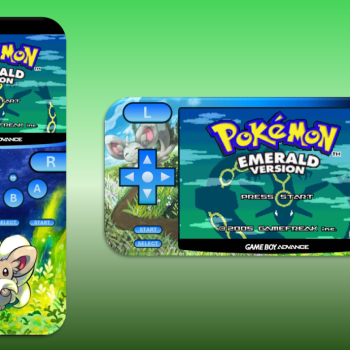
Features the fluffy Pokemon "Cinccino" for both portrait and landscape views. I made this cause there's not many other Pokemon skins other than the starters and legendaries. Features: Portrait and Landscape modes on modern iPhones Fast forward button (double arrow) Menu button (GBA logo) Cinccino Art if you're a fan of the pokemon Just my first attempt at making Delta skins, hope it's good :D...
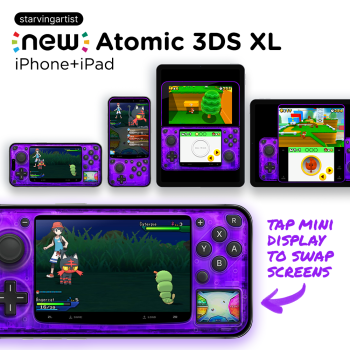
New 3DS skin for iPhone and iPad! This is my personal take on a 3DS skin, with some intentionally opinionated changes to better suit how I play 3DS games. Primarily, it's a focus on a larger screen and easy screen swapping for iPhone landscape, and a cleaner, larger bottom-screen for iPhone portrait. It also has more compact controls, with the Start and R buttons more conveniently closer to the face buttons, and less used buttons like ZL and ZR are smaller. This is also my first try at making iPad-compatible skins. iPhone Landscape: Large, centered primary screen with a small mini display for the secondary screen on the bottom-right corner Great for playing games l...
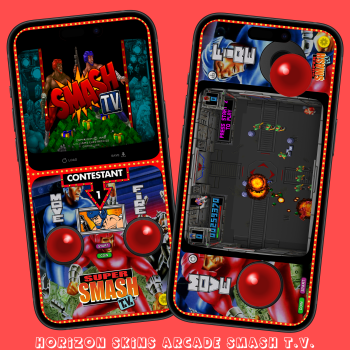
This skin has a portrait mode with FastForward, QuickLoad, QuickSave and a landscape mode with FastForward and QuickSave and QuickLoad, all seem to work well.Smash T.V. is a 1990 arcade video game created by Eugene Jarvis and Mark Turmell for Williams Electronics Games. Compatibility Edge to Edge Display, iPhone X and above so anything higher should be fine. Not compatible with iPhone SE Gen 1-3. CRT screen with a filter for that genuine look and feel. Twin sticks one for movement and one for firrining just like in the arcade! The screen is also a FastForward, hold it to apeed up.Works with MANIC EMU only! Any bugs or anything please leave a comment and rememb...
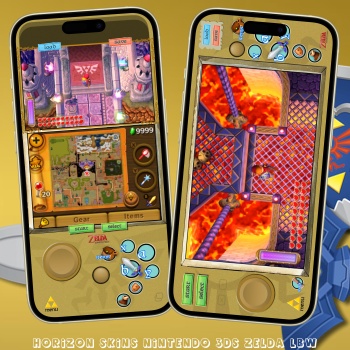
This NINTENDO 3DS skin is for ZELDA: LINK BETWEEN WORLDS, the game is the 17th in The Legend of Zelda series and is a sequel to the 1991 title The Legend of Zelda: A Link to the Past. It has a QuickLoad and QuickSave, both seem to work well. Compatibility Edge to Edge Display, iPhone X and above so anything higher should be fine. Not compatible with iPhone SE Gen 1-3. SCREEN SWAP BUTTON IN LANDSCAPE MODE TO SWITCH SCREENS ON THE FLY! Tried to keep the screen BIG in landscape as much as I could, it's even bigger than my other skins!!! The small joystick was the D-PAD used for moving the camara about. Custom shortcut buttons for ITEMS, SWORD, SHEILD, MAP and the PEG...
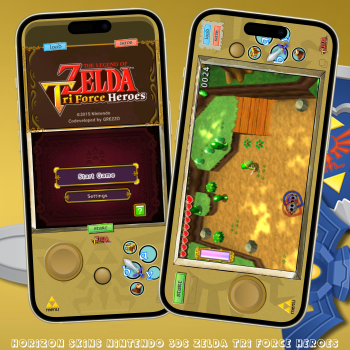
This NINTENDO 3DS skin is for ZELDA: TRI FORCE HEROES. It has a QuickLoad and QuickSave, both seem to work well. Compatibility Edge to Edge Display, iPhone X and above so anything higher should be fine. Not compatible with iPhone SE Gen 1-3. SCREEN SWAP BUTTON IN LANDSCAPE MODE TO SWITCH SCREENS ON THE FLY! Large area for the button to swap screens. (see controls image) Tried to keep the screen BIG in landscape as much as I could, it's even bigger than my other skins!!! The small joystick was the D-PAD used for moving the camara about. Custom shortcut buttons for the SWORD, PEGASUS BOOTS and TAKE PHOTO. Hidden 'A' button in portarit at the bottom of the top scre...
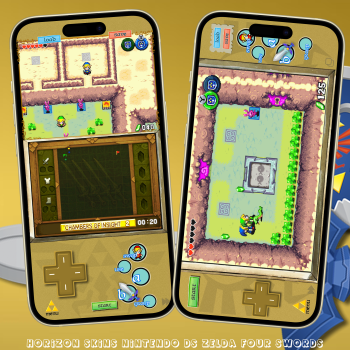
This NINTENDO DS skin is for ZELDA: FOUR SWORDS, it was a DSiWare game. It has a FastForward, QuickLoad, QuickSave, all seem to work well. Compatibility Edge to Edge Display, iPhone X and above so anything higher should be fine. Not compatible with iPhone SE Gen 1-3. SCREEN SWAP BUTTON IN LANDSCAPE MODE TO SWITCH SCREENS ON THE FLY! (MANIC EMU ONLY!) Large area for the button to swap screens. (see controls image) Tried to keep the screen BIG in landscape as much as I could, it's even bigger than my other skins!!! Custom shortcut buttons for SWAP LINKS, GROUP, USE and your SWORD. This game has no touch controls at all so added some simple shortcuts. (see controls ...
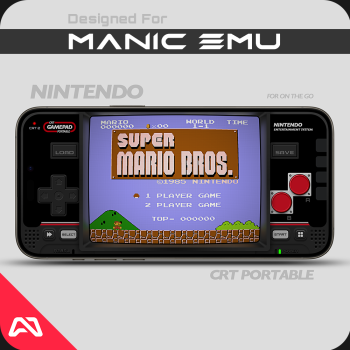
[R3BEL CRT PORTABLE] for iOS These are CRT style skins that have been updated to be compatible with MANIC EMU. Using Manic's built in CRT Filters to distort the game screen you can create a bubble style screen similar to the old CRT televisions. They are definitely not perfect CRT's, but they do simulate it pretty well. MANIC UPDATE NOTES: Moved the control buttons (D-Pad and the A+B Buttons) slightly higher for better ergonomics and less hand cramping. Added animated button support. Visual button presses on screen which helps with screen recording. Added an additional A+B Combination button which is positioned directly between the A and B buttons. This helps wit...
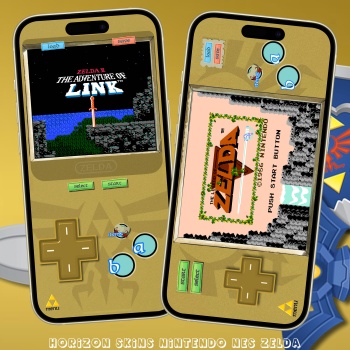
This NINTENDO NES skin is for both ZELDA games on the NES with a few custom buttons for varuius actions. They both have FastForward, QuickLoad, QuickSave, all seem to work well. Compatibility Edge to Edge Display, iPhone X and above so anything higher should be fine. Not compatible with iPhone SE Gen 1-3. Tried to keep the screens as BIG in landscape as much as I could, it's even bigger than my other skins!!! Custom shortcut button for ITEMS/COLLECTION. The screen is the FastForward button. Fixed overscan issue in portrait & landscape with the sides of the screen. Any bugs or anything please leave a comment and remember stay safe and save that state! ...