Light Mode skins
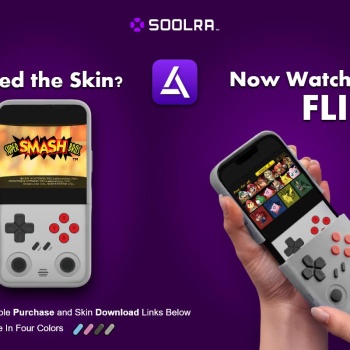
Relive the glory days on the SNES with this skin in Delta. Crisp, iconic, and paired with the Soolra Controller—it’s like ‘95 never ended....
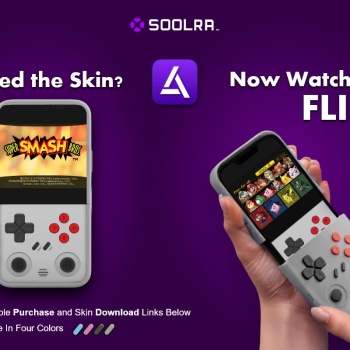
Bring that pixel-perfect charm to your NES games in Delta. This skin gives the Soolra Controller that clean 8-bit drip—because real ones know where it all started....
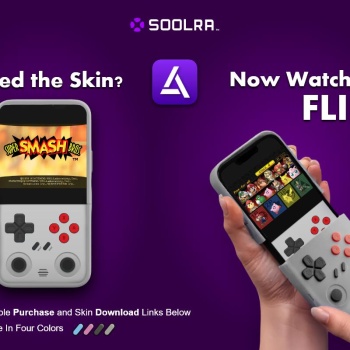
Take your Nintendo 64 throwbacks to the next level—this skin sets the Soolra Controller as your player one in Delta. Perfect for golden-era showdowns and late-night couch sessions....
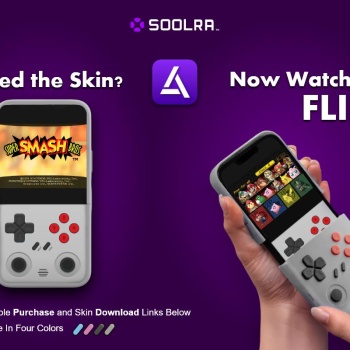
Fire up your Game Boy Color library in Delta with this skin and rep the Soolra Controller in true ‘90s style. Bright, bold, and made for gamers who know the sound of a fresh power-up....
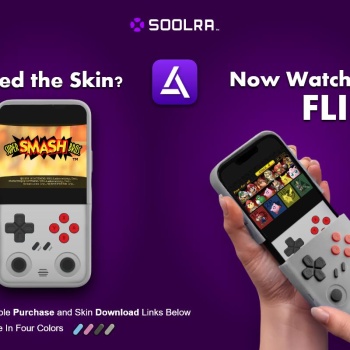
Soolra Mobile Pro Controller – Game Boy Advance Skin Drop this skin on your Game Boy Advance setup in Delta and rock the Soolra Mobile Pro Controller with handheld legend energy. Built for those who grew up on cartridges and never stopped gaming...
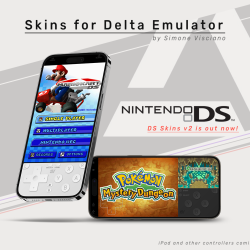
Hey everyone! The colored A/B/X/Y buttons are now available on iPad too! 🎉Just like the iPhone versions, these iPad skins come in both Light and Dark themes, and feature the same layout and options. ✅ Colored A/B/X/Y buttons✨ Clean, immersive interface🔄 Portrait & Landscape modes + Split View + Swap versions💾 Quick Save, Quick Load & Fast Forward support Let me know what you think! If you enjoy them, feel free to leave a ⭐ on GitHub!...
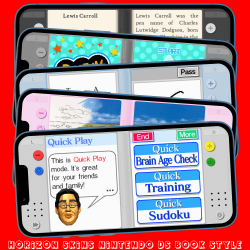
This NINTENDO DS skin (AVAILABLE IN 6 COLOURS!!!) with a 'book' looking PORTRAIT MODE ONLY with FastForward, QuickLoad, QuickSave, all seems to work well.Couldn't make it a landscape skin as the screens would be the wrong way around. Works great with the Brain Training games, Hotel Dusk: Room 215 and it's sorta sequel Last Window: The Secret of Cape West, 100 Classic Books, Rhythm Heaven and more. Compatibility Edge to Edge Display, iPhone X and above so anything higher should be fine. Not compatible with iPhone SE Gen 1-3. There is no D-PAD or A, B, X and Y buttons. It does still have L and R buttons as some games use them. It also has Start (+) and Select (-) b...
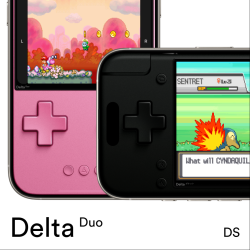
Delta Duo is an Analogue Pocket-inspired NDS controller skin, built on the foundation of Delta Pocket! This preview includes the Pink and Black editions of Delta Duo in portrait and landscape. If you love this layout, check out the full collection, which includes 13 classic colors, 21 Special Edition designs, and 11 gorgeous Transparent Editions! Features: Portrait mode hides the notch/dynamic island Detailed textures and shading Landscape mode features one large display that supports Airplay and Screen Swapping! Important: Screen Swap is currently an 'experimental' feature, limited to Riley + Shane’s Patreon Members. After a supporting Patreon...
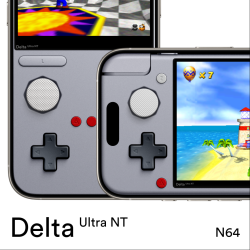
Ultra NT is an ultra-capable skin for Nintendo 64, and built on the foundation of Delta Pocket! This preview includes the Grey edition of Ultra NT in portrait and landscape. If you love this layout, check out the full collection, which includes 7 classic colors, 6 nostolgic Special Editions, and 9 funtastic Transparent Editions! Features: Portrait mode hides the notch/dynamic island Detailed textures and shading Combo Buttons: Tap (or drag) between any two face buttons to press both of them using just one finger! Try dragging your finger from Z to B in Super Mario 64 to do a backflip! Two Z Buttons! On the N64 controller, the Z Button is in the mi...
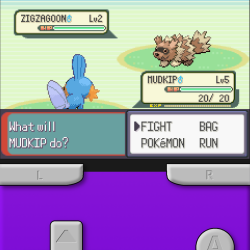
Features: Fast-Forward button Quick Save/Load (tap right side of game screen for quick save, tap left side for quick load) Portrait and Landscape Sized for iPhone 14 Pro, 15, 15 Pro, and 16; has only been tested on an iPhone 16. Message me on Discord if you want this in other colors...
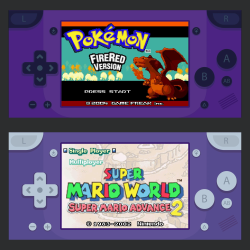
I have prepared a new skin by trying to combine a minimalist design with the largest possible game screen size. You can touch the game screen and so toogle fast forward. There are quick save, quick load, A/B buttons. It is compatible with all iPhones with or without a notch. Also, Don't forget to set the controller opacity to 100% to see the real colors. If you have any criticisms about the design, please state them. If you want to buy me a coffee...
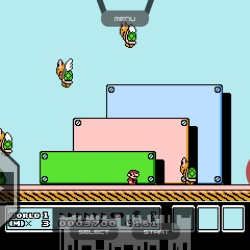
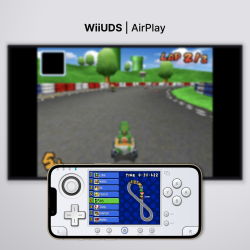
New AirPlay skin for screencasting NDS. Supports all iOS devices across edge-to-edge, standard iPhones and iPads. (As of 13/07/24, WiiUDS is incompatible with the latest update of Delta v1.6 on iPad. Revised iPad skins will be released in the coming weeks. If you have the older version of Delta on your iPad, the skin will continue to function until the app is updated.) Select BS skins for screencasting the top screen to an external display through AirPlay. Select TS skins for games suitable for top screen-only gameplay. iPad support will be released in the coming weeks....
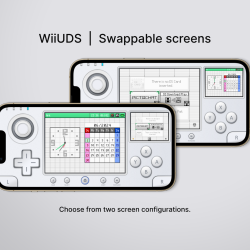
Update: Portrait skins released. Landscape skins are now grouped into groups V1 and V2. See images above for reference. A white DS skin simulating the WiiU layout. The first DS skin with dual input thumbsticks and D-Pad. Supports all compatible iPhone models. (As of 13/07/24, WiiUDS is incompatible with the latest update of Delta v1.6 on iPad. Revised iPad skins will be released in the coming weeks. If you have the older version of Delta on your iPad, the skin will continue to function until the app is updated.) Portrait: Control the CStick by dragging your finger over the circular area. Release your finger to reset the CStick's position to the center. ...
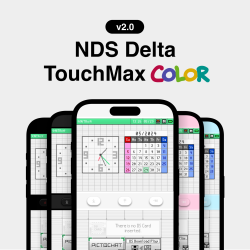
The simplified NDS Delta skin for touchscreen-based games. Features Simplified UI Compatibility with notch or dynamic island Ergonomic touch-screen position Quick Save, Turbo, and Quick Load buttons Landscape Mode 3 new colors, including Midnight Available on Gumroad! Terms of Use Colinh68's Delta NDS touchMax is for personal use only and may not be redistributed or modified. Distribution of derivative works is not permitted....
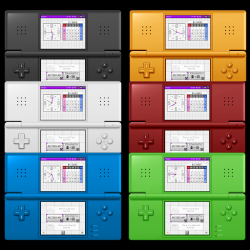
Changes the awful pink color of the standard DS skin to black. (Plus More!) - Supports all display types. Standard displays not shown in the graphic. - Splitview is supported, but not shown. ...
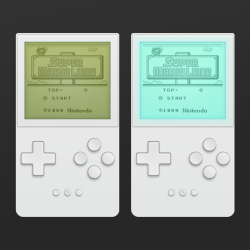
Play your monochromatic Game Boy games in a new way! I wanted to experiment with some overlay filters for the screen, trying out different looks and backlighting for classic devices on an Analogue-style device. LCD overlay styles: Dark (Game Boy) Medium (Game Boy Pocket) Light (iPod) Backlight overlay styles: Teal (Game Boy Light) Blue (iPod Mini with backlight) Green Press the main screen to quickly fast forward. Four button layout with inverted A and B buttons at the top. Press in-between the A and B buttons for A+B button. Compatible with edge-to-edge iPhones and iPhones with home buttons. Works best with old-school black & white Game Boy games. P...
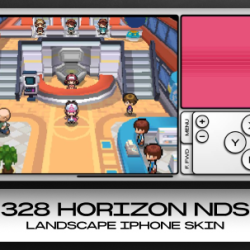
Modern and clean theme style Utilizing large screen space while preventing any kind of obstructions Invisible d-pad on the left hand side of the screen to save space while preserving the game screen immersion and visibility ...
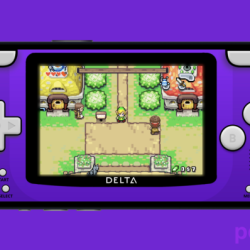
poketGBAa delta skin aimed to bring the GBA look to Delta Features- Supports Edge-to-Edge iPhones only (for now) - Landscape only (for now)- Available in LIGHT and DARK mode- Fast Forward by tapping screen- Quicksave by tapping delta icon- Quickload by tapping delta (under display)- Screen ambience Download not working or want older version?https://github.com/NobiDevs/poketGBA/releases...