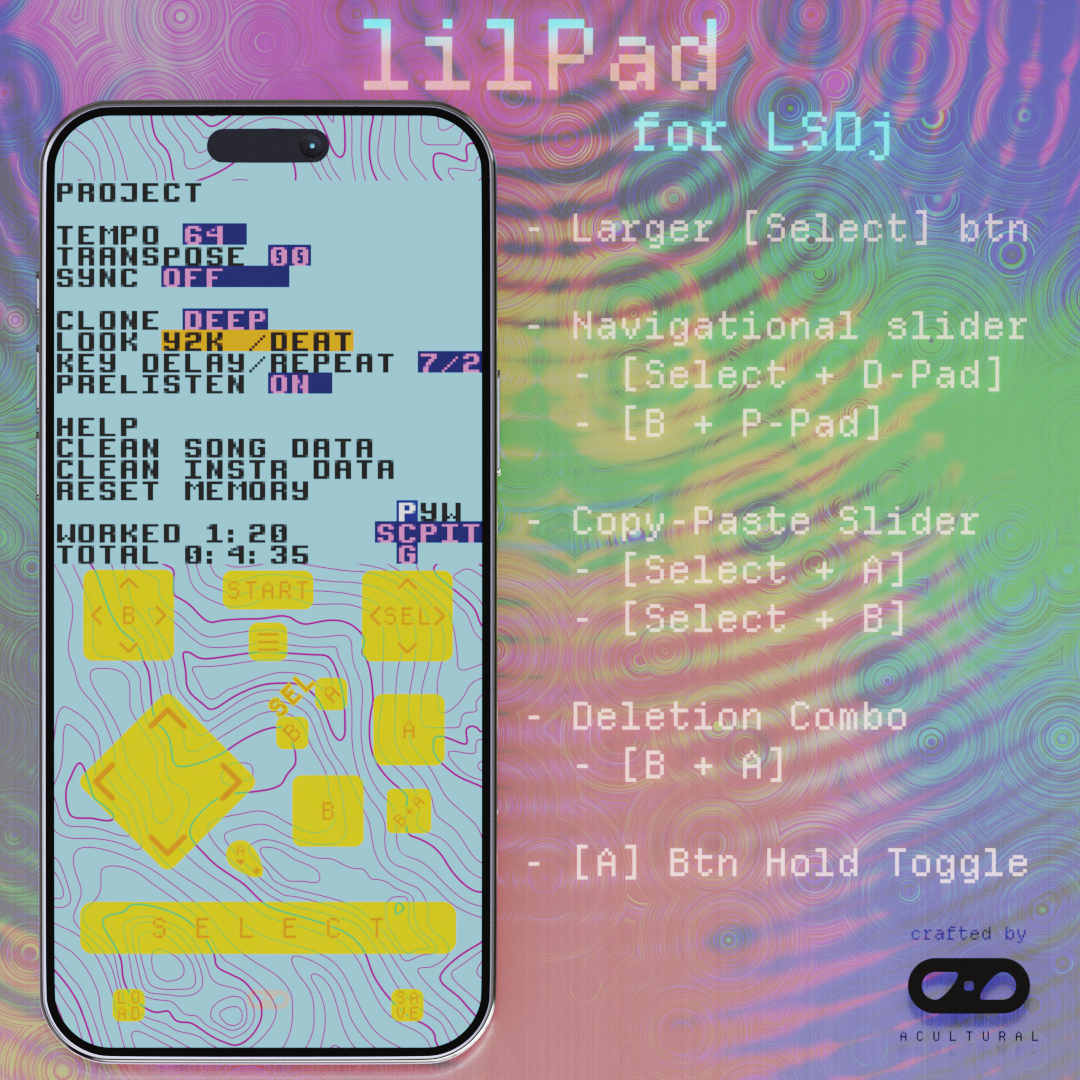

lilPad is a specialized UI skin specifically designed for LSDj, a Game Boy music sequencer. This skin features:
- Better button positioning for comboing
- Combo buttons/Pads for one-handed use
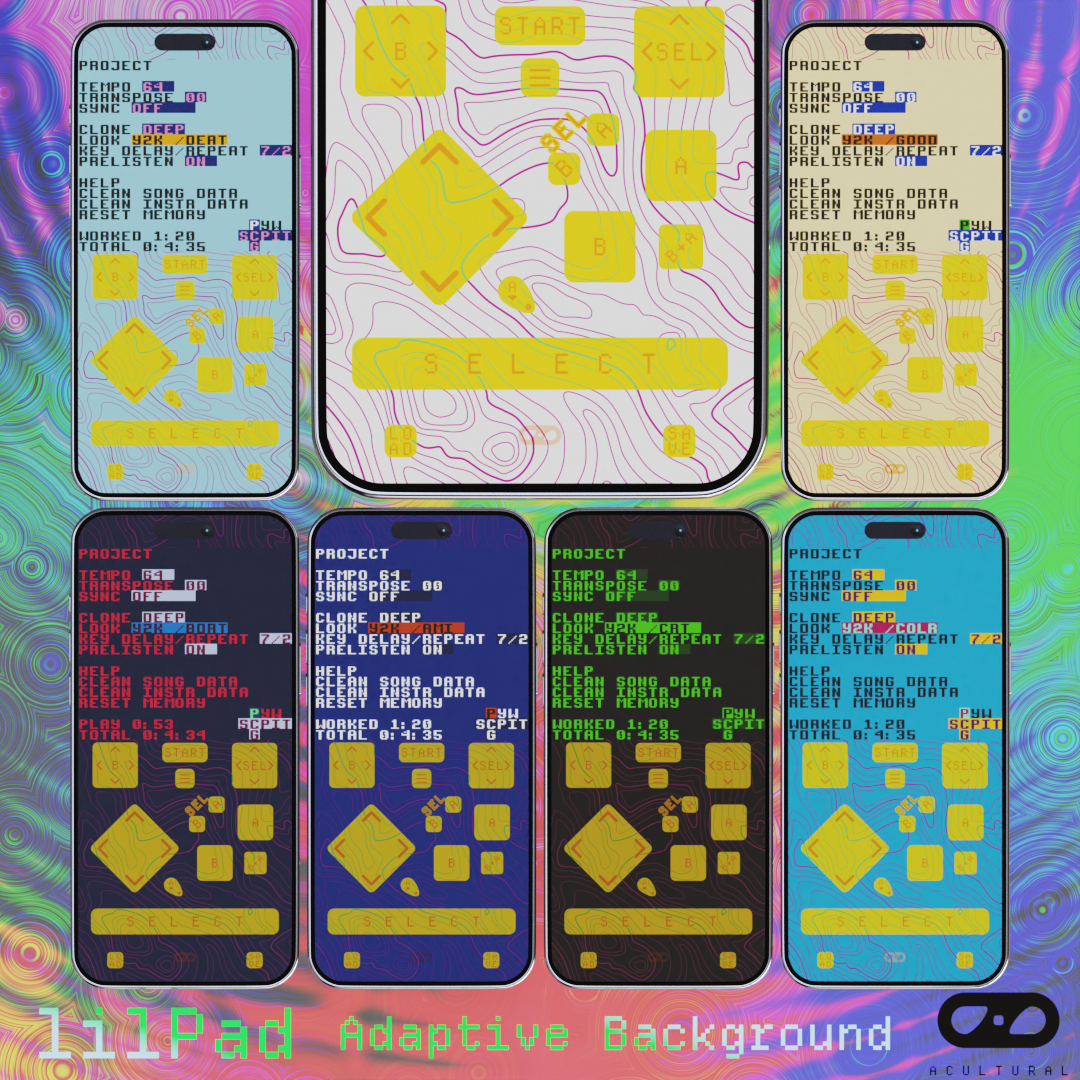
- Simple adaptive visuals
LSDj was build for the original Game Boy with limited number of buttons, so a lot of functionalities are mapped to (sequential) combo buttons. These combo are quite intuitive and easy to learn, tried-and-true for 20+ years, but maybe we could still do a little better...
lilPad started with making the [Select] button (the ubiquitous modifier key) wider and easier to use for both d-pad and A/B key combos. Then it got further augmented with additional macro shortcuts within the limitations of Delta to facilitate one-handed operations:
- B + A is a common combo for deleting entries. It got a normal combo button.
- A, B, and Select all serve as modifier keys to the D-Pad, and the ordinary Delta combo key does not work reliably because key press order can matter, so
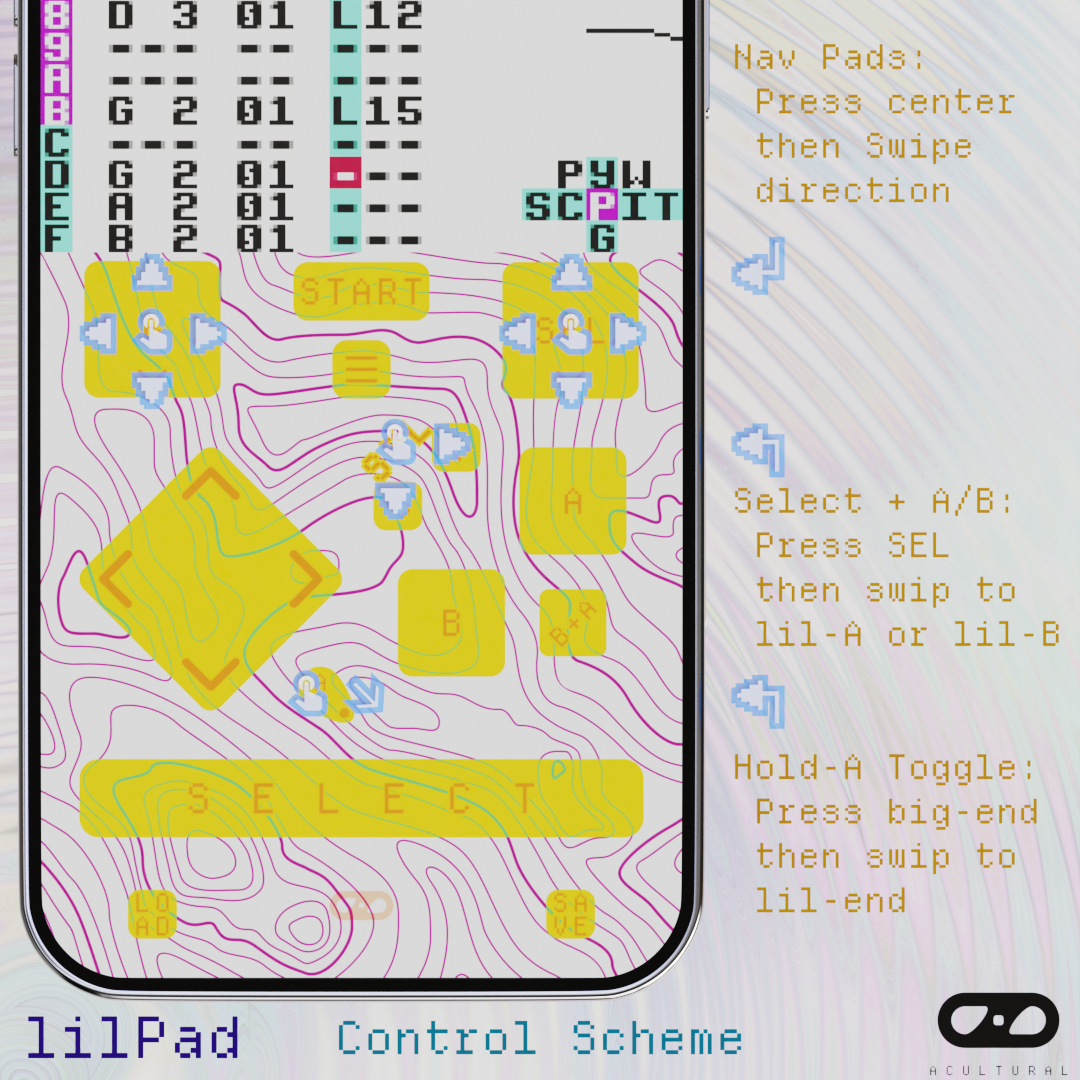
- The navigational B/Select + D-Pad got their navigational pad, where one can press the center to trigger (B/Select) then swip to the sides to trigger the directional inputs
- The A + D-Pad combos are for editing entries, where consecutive presses may be needed, so
- In version 1: A got a toggle button, which utilizes the Delta's "hold menu then press keys to toggle holding keys" functionality. (The big end maps to the [Menu] button, where the right & bottom edge maps to the [A] button).
- In version 1.1: A + D-Pad have individual mini combo buttons.
- Select + B/A are very useful combos for copy-pasting, and got their own shortcuts. Similarly, by pressing on "SEL" and slide to either the little [A] or [B] buttons, the respective combos can be triggered.
- In version 1.1: A Select + Start combo button is added right next to the Start button.
The background of lilPad also changes w.r.t. the theme/status of the main app, so it can work reasonably well with LSDj's internal theme customization. (I might still release a few alt skins)
Other design considerations:
- It's possible to map some functions onto the active screen space (especially navigational ones or the start/play button) but keeping them off the screen makes the UI more explicit for general purposes.
- It's possible to arrange the keys to better facilitate single left-handed use / right-handed use. If there's demand maybe I'll consider doing that.
- If Delta ever releases better macro keying support, this skin will have the potential to be further improved.
That's all for now. If this is the first time you've heard of LSDj, and you enjoy listening to chiptune, consider giving it a try! Have fun making tunes!
Support me:
Help me combat Lord Algorithm by watching my YouTube channel! (https://www.youtube.com/@acultural_croquette) I post chiptune arrangements for video game soundtracks! (Original music and animations coming soon too.)
Additional stuff:
Leave a comment! | Report issues you encounter here or on GitHub | Follow on Patreon for future content
Project Repo GitHub
Patreon Join For Free
Comments
Please log in to leave a comment.