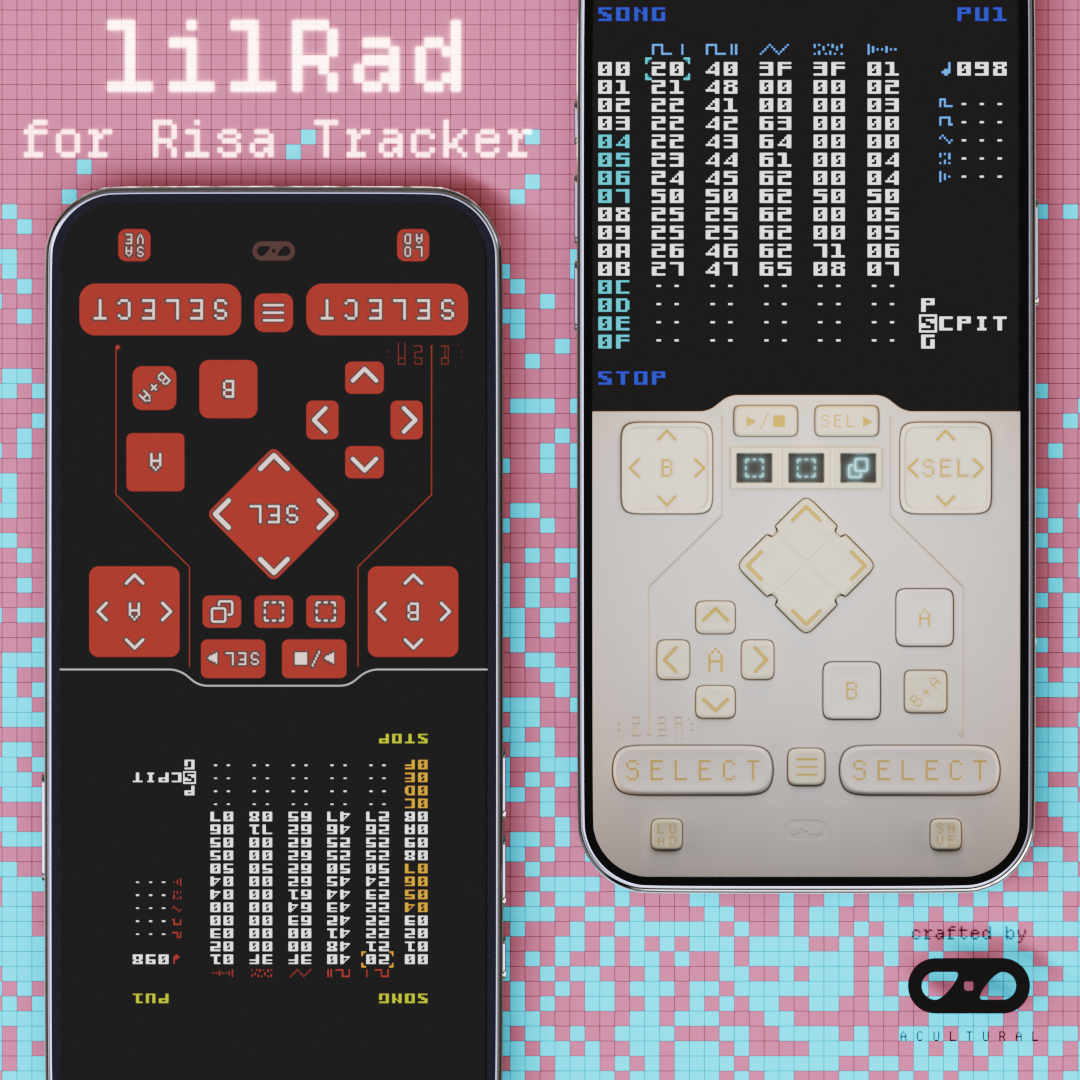
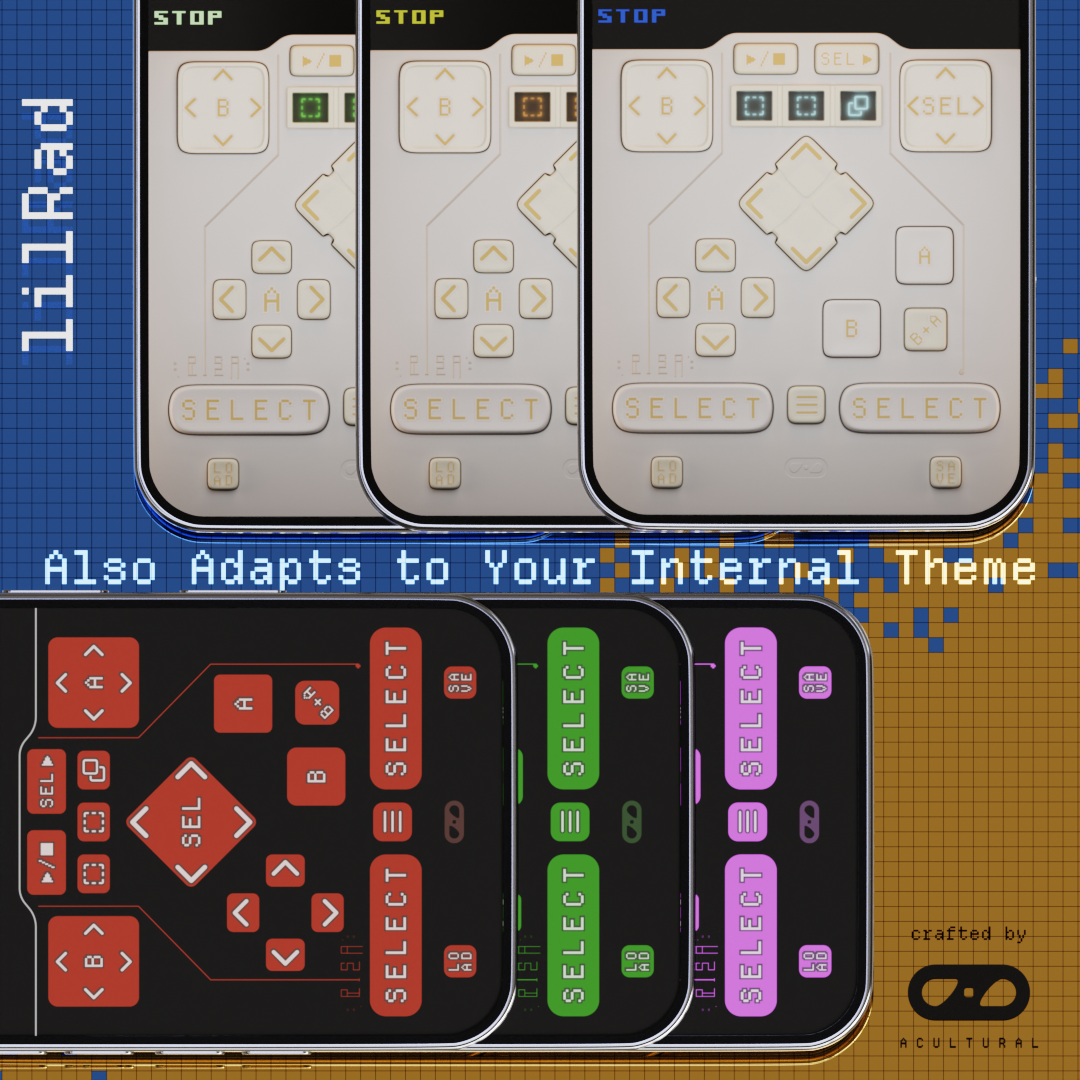
lilRad is a specialized UI skin designed for Risa, an NES music sequencer. This skin is built on top of lilPad, my UI skin for LSDj, and is specifically designed with one-handed use in mind. It features:
- Large select buttons positioned for easier traditional comboing on either side
- Combo buttons & pads covering all current commands for one-handed use
- Visuals adaptive to your Risa themes, in addition to:
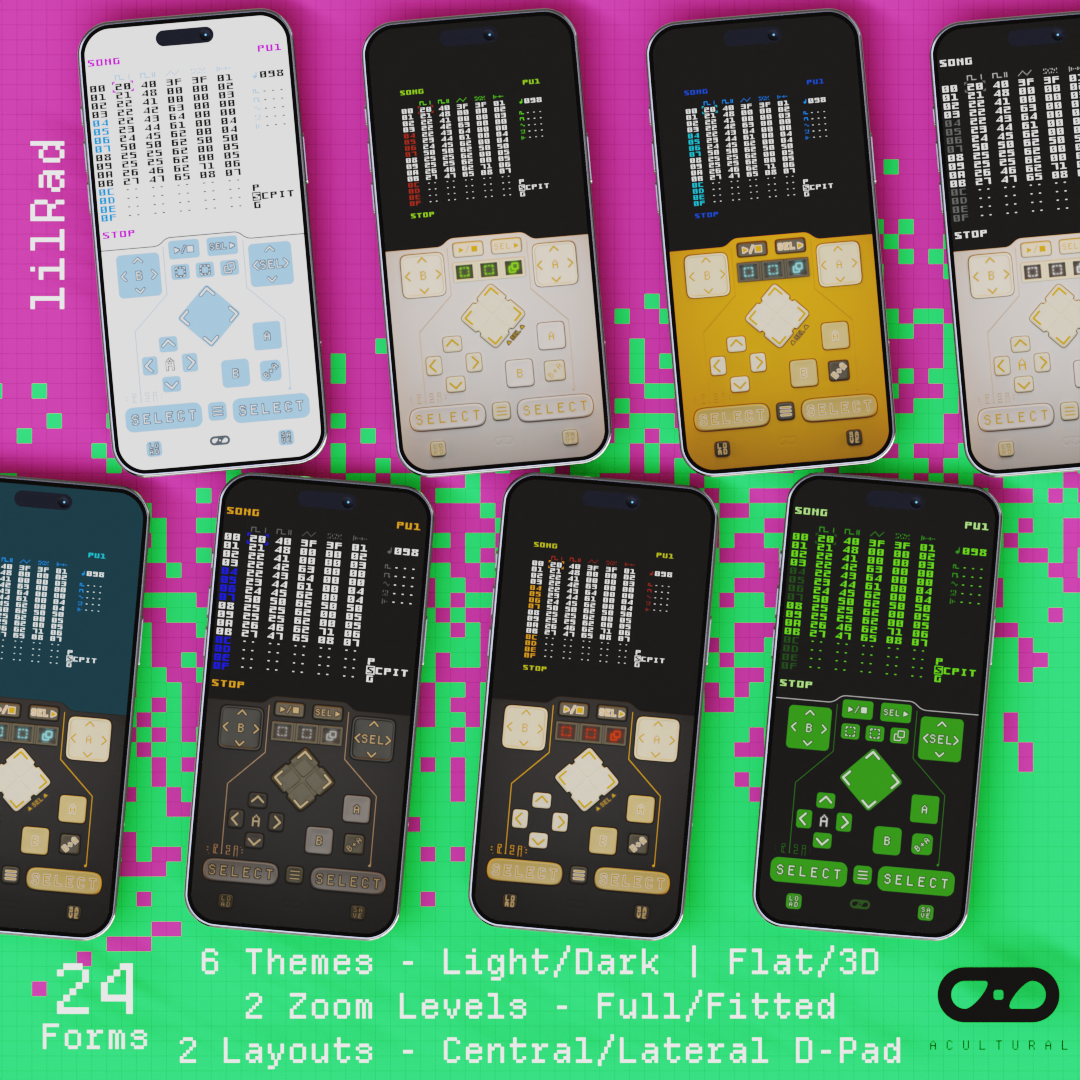
- 1 * flat design and 2 * 3D designs in both dark and light mode, 2 zoom levels, and 2 button layouts, a total of 24 forms to choose from
File Name Glossary:
- Design
- flat: flat
- solid: 3D
- Light/Dark:
- lite: light
- dark: dark
- blanc: alternative light
- noir: alternative dark
- Zoom:
- 1x: displays the full NES screen
- fitted: cuts the empty margins so it looks more like LSDj
- Layout:
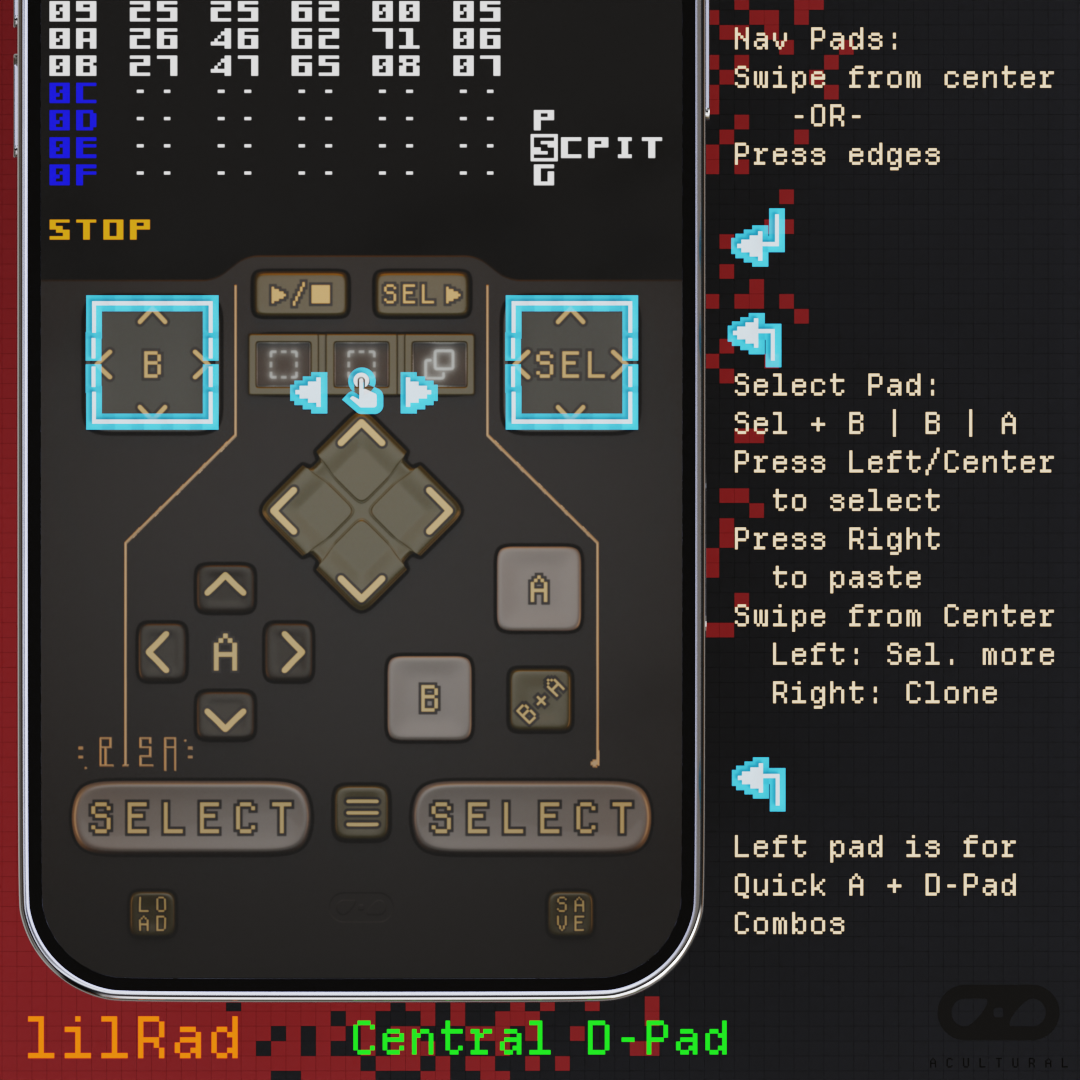
- cd: central D-Pad configuration; 2 Nav pads on top, the D-Pad is in the center, and an A-Pad where D-Pad usually sits (my prefered layout)
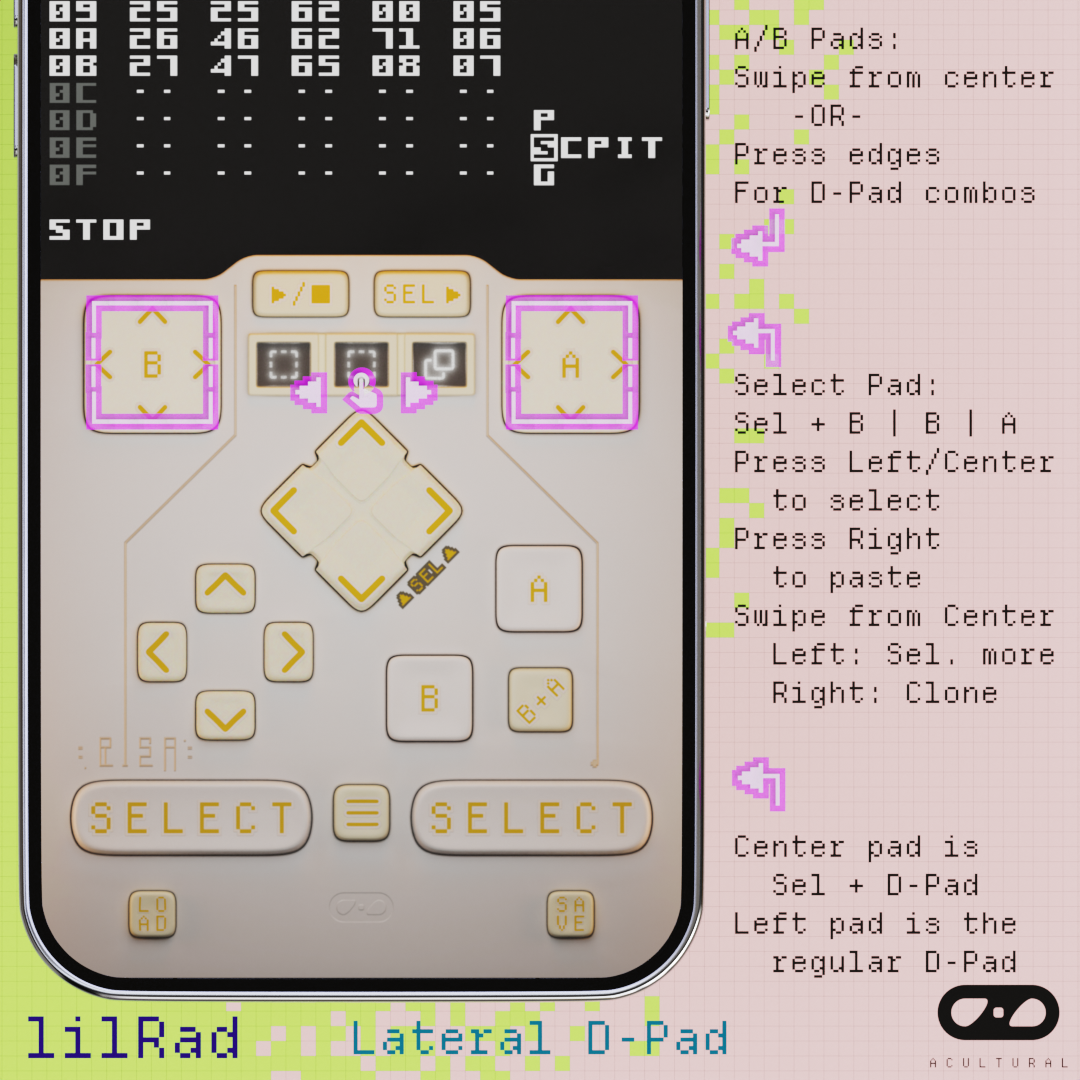
- sd: lateral D-Pad configuration; B-Pad and A-Pad on top, the D-Pad is where it usually is, and the central Pad is the Select-Pad (for switching screens)
Risa inherited most of the control scheme of LSDj, so adapting lilPad for it should be straight forward... is what I thought at first. However, Risa has some subtle differences that allowed some room for improvement, and I just had to take advantage of them. As a result, lilRad was developed through many internal revisions while I learned to track music with it, trying to find the most comfortable configuration alone the way.
What's different:
- Risa's D-Pad combos do not seem to rely on press order, so hold-presses and swipes can be replaced by simply triggering the buttons simultaneously. This means all the nav pads' edges can be directly pressed to activate their combos. Also, [Select + B] and [Select + A] can now be executed in 1 press instead of 1 swipe. (To execute [Select + B,A], swipe from [Select + B] to [Select + A]; To execute [Select + B,B], swipe from either [Select + B] to the other.)
- Risa's internal themes focused on varying the font colors more than the background. Since Delta has limited exposure to Apple's supported filters, lilRad's adaptive visuals currently focuses on tracking the font color instead of the background color. As a result, more designs are released to better fit your styles.
Why design for one-handed use:
- I find it very common that I'd either be using the tracker while operating my keyboard or doing audio analysis or taking notes. And when I'm out-and-about, I prefer a free hand for convenience/safety reasons. So a layout that supports one-handed use is very useful to me, and I hope it will make your life easier as well.
- Designing for one-handed use does come with the drawback that buttons are more closely clustered together and playing NES games with this skin without the physical buttons will be much more difficult.
How to manage 24 different builds:
- Since there were many settings I wanted to mix-and-match, editing skins configurations one JSON file at at time would be very unreliable
- Instead, I made a master design JSON file which contained all the candidate configurations and combination recipies, and a script to assemble them accordingly
- You can find them on my repo on GitHub (link below)
That's all for now. Give Risa a try! There are some demo saves on the project website to give you a taste of what it can do. Have fun making tunes!
Support me:
Help me combat Lord Algorithm by watching my YouTube channel! (https://www.youtube.com/@acultural_croquette) I post chiptune arrangements for video game soundtracks! (Original music and animations coming soon too.)
Additional stuff:
Leave a comment! | Report issues you encounter here or on GitHub | Follow on Patreon for future content
Project Repo GitHub
Patreon Join For Free
Comments
Please log in to leave a comment.