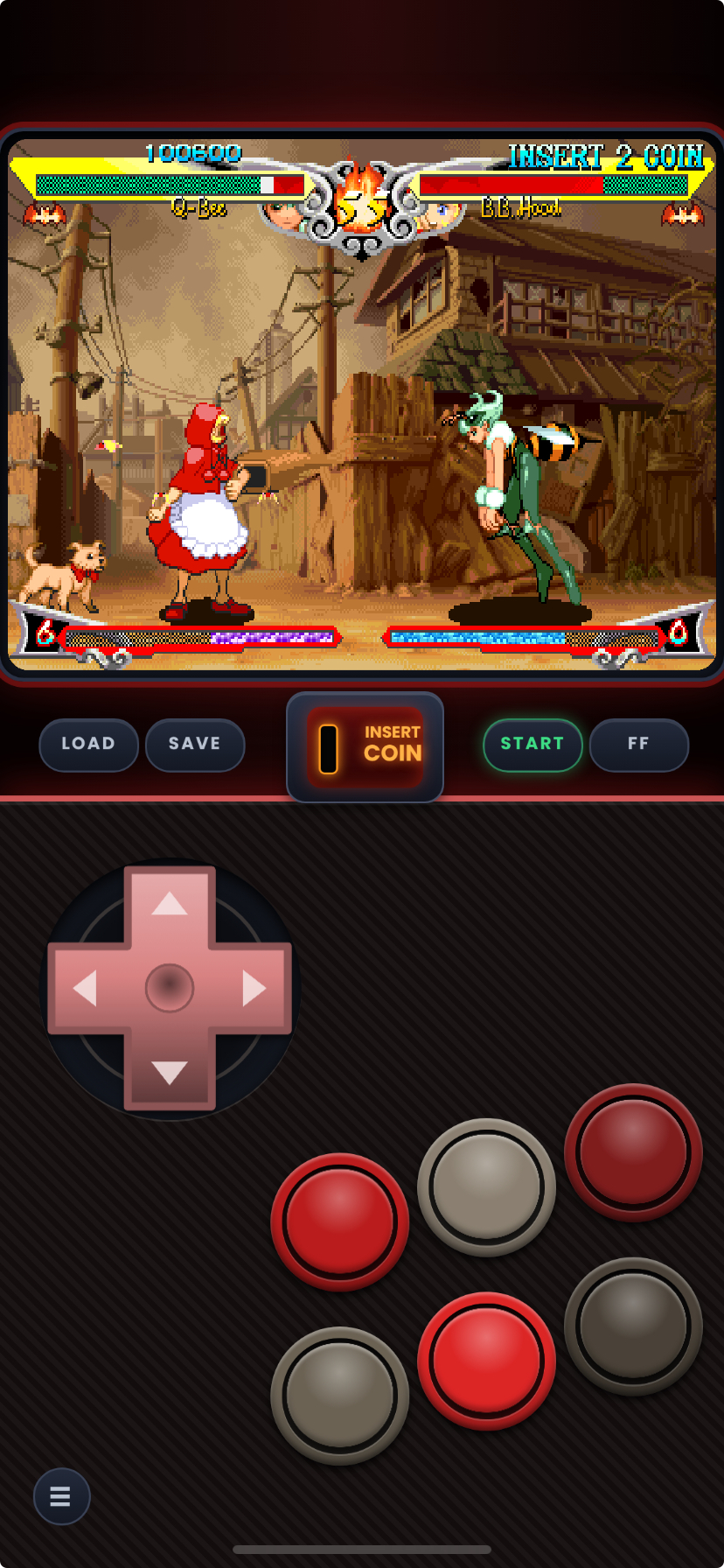
Needs Manic EMU [2.0.2] or newer. Older versions number the buttons differently, use my Github for the old skins these ones send the correct button order for 2.0.2. The update from 2.0.1. to 2.0.2 made it send a diffrent input order, even on the same skin, the backend code changed so i updated... 2.0.1. skins will stay safe in their own release on my Github if you need it and not the new ones.
I updated the skins to use the new button mapping inputs for manic emu 2.0.2. It took a bit to figure out the button mapping change from 2.0.1 to current but the buttons run 123456 from left to right top to bottom. So now its in order, and not the old system that was based off their actual numbering before they changed it. I will update the rest of the colorways later today so theres more then 1 color, i'm tired and didn't sleep so i could crank out this update once i realized it changed when i updated my phone. So just give me alittle time to finish zipping up the skins. The starter packs have every layout in them, i wanted to get them out first since they are the easiest install. There's no more tekken fix skins, it's not needed with this new button mapping update from manic. This page is slightly messy because it needs updating so im just cutting out the wrong parts as of the 2.0.2 update and will fix in a bit, after i sleep and update everything else that changed, thank you for your patience, and im sorry the button order was wrong before if you started this on 2.0.2. If you'r still on 2.0.1. im gonna keep the old skins with their button mapping on my git hub and keep them there because they are "retired" now because of the update.
Not sure where to start or download? grab a starter pack for your phone type (original=Notch, dynamic=Pill) if your still lost you can scroll down or you can use the dynamic set with both phone types.
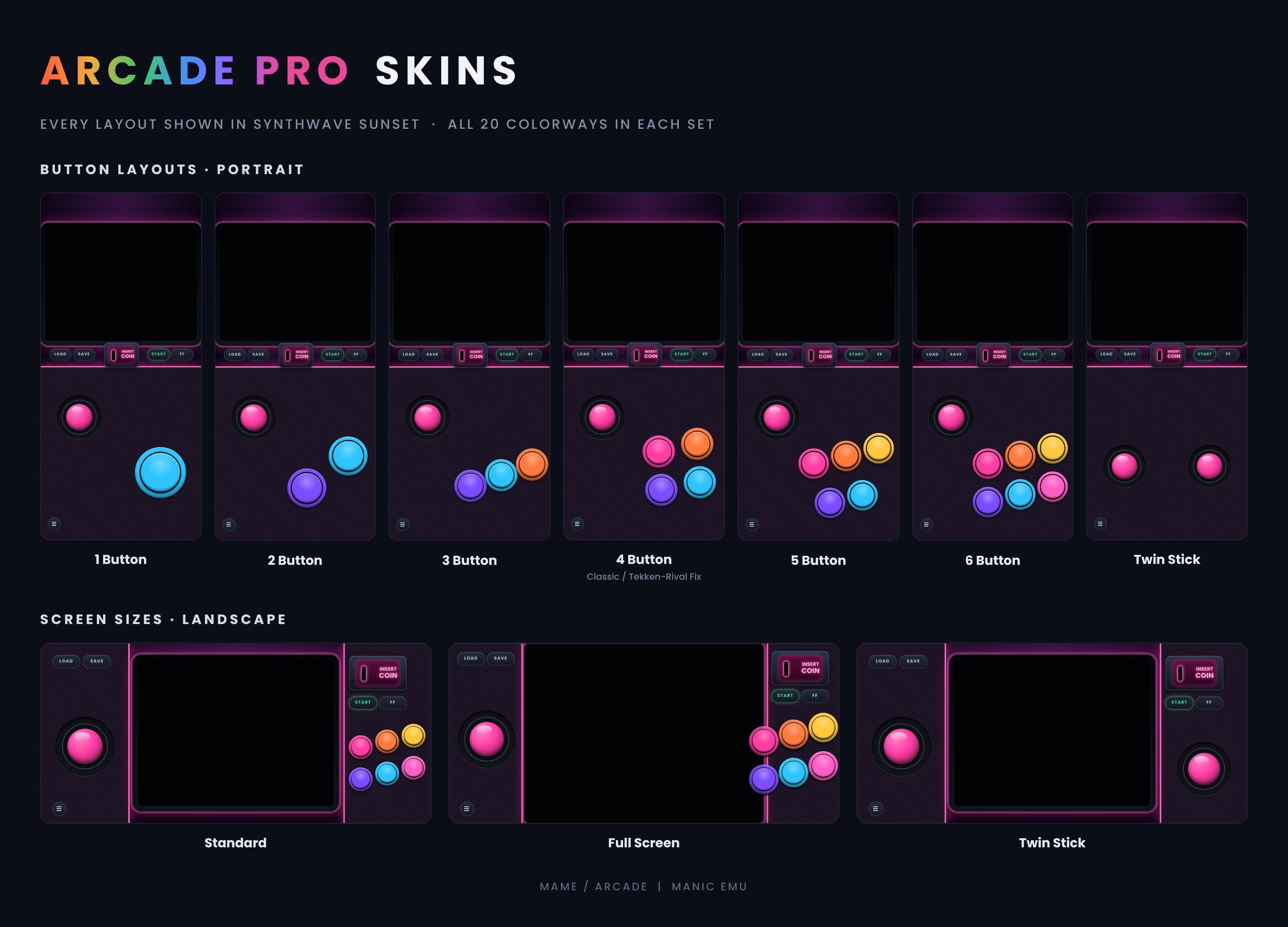
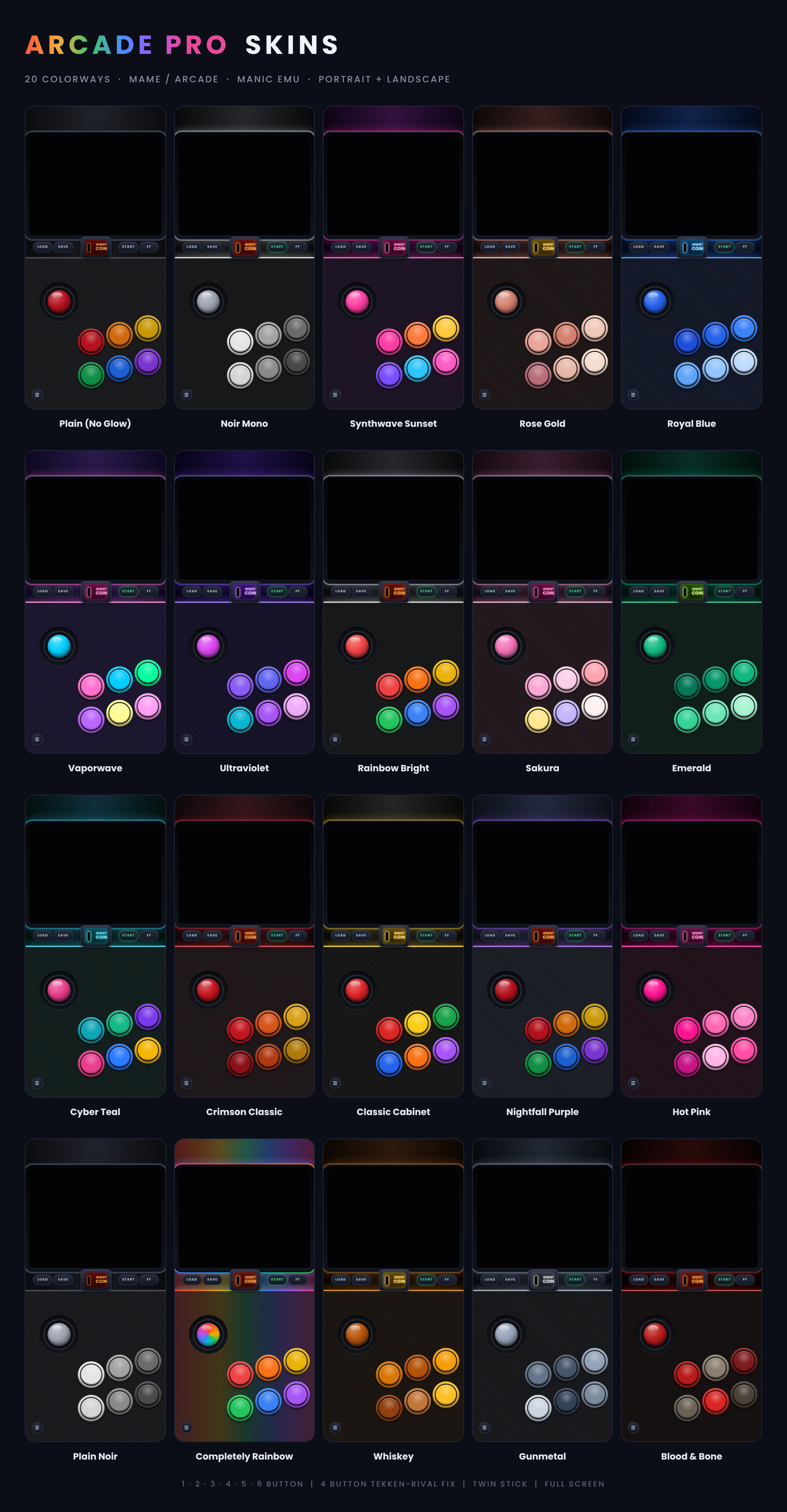
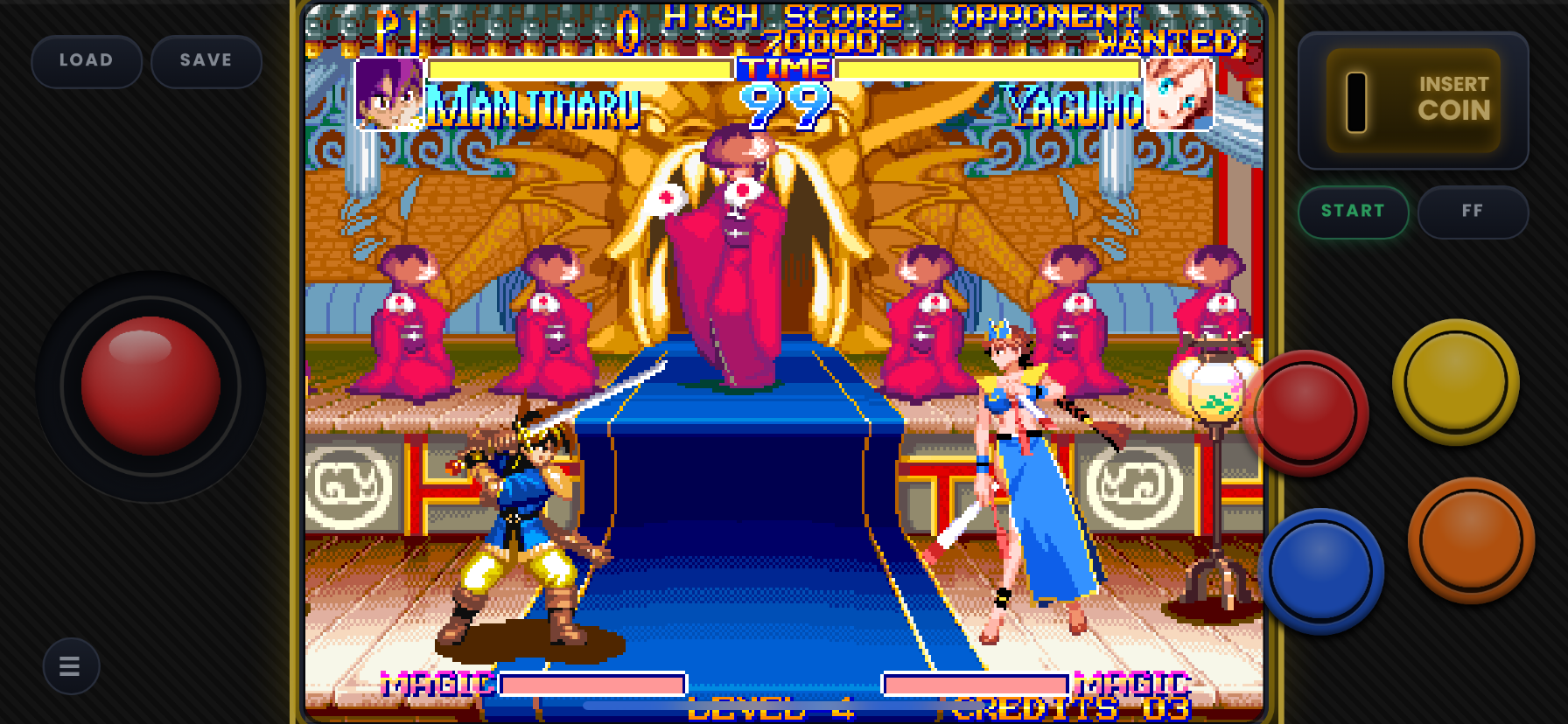
This is the mega collection of 1, 2, 3, 4, 5, 6 button and twin sticks lay out in a Variety of colors. A layout for every game no matter the number of buttons, no more having extra buttons getting in the way, or having too little buttons. With this collection all your arcade button troubles will go away. They comes in 2 stick types, Joy-Stick is the normal labeled ones (no Dpad in name) , the D-pad has Dpad in name and zip.
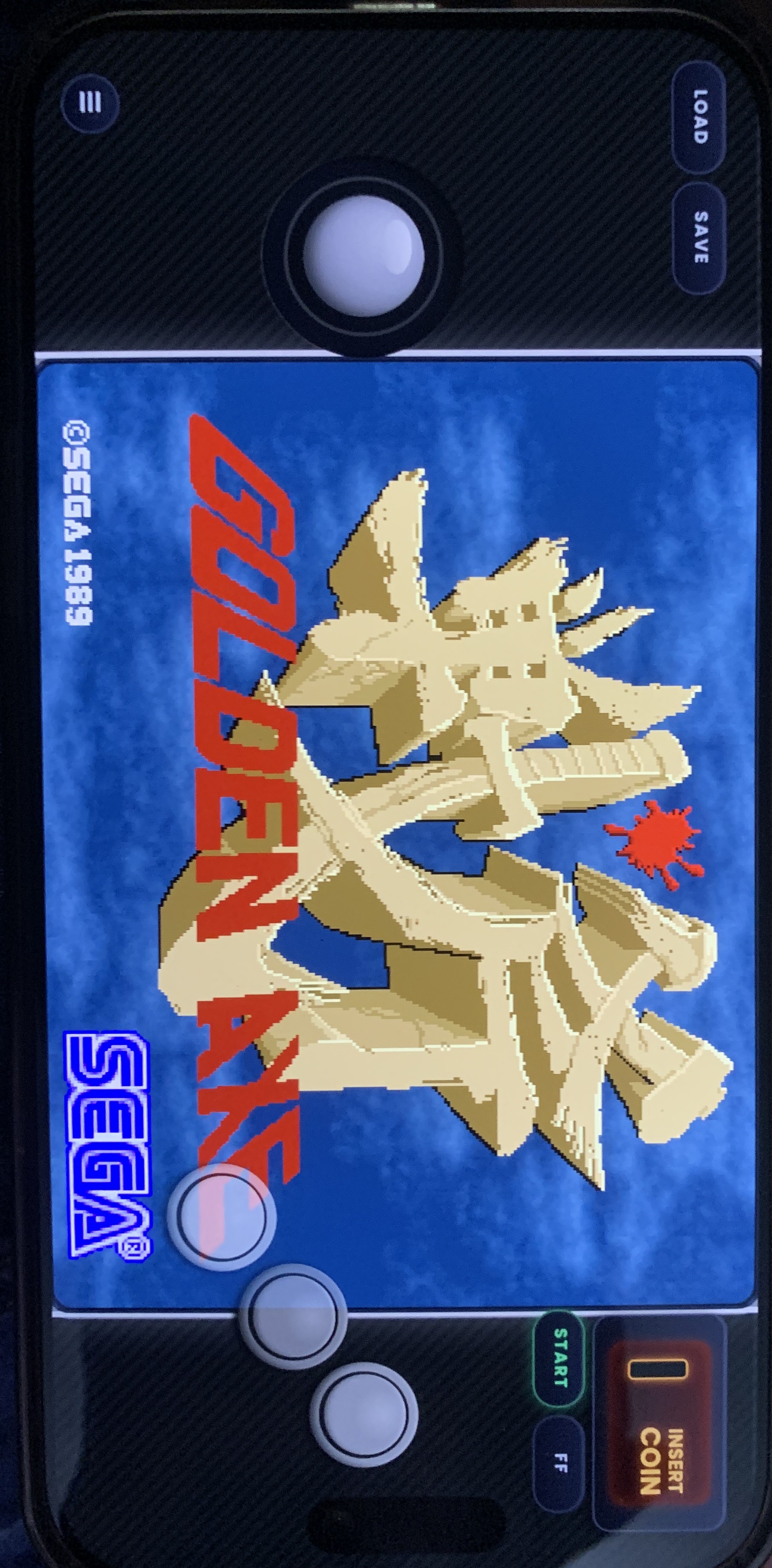
**PS. If you have a iphone (14 pro+) with a dynamic island (the pill notch) use the dynamic set its got more space around the edge to factor in the lower notch. (Tested on XR and 17 Pro) (ps. the original set may work on your dynamic island phone if you hold the phone a certain way (if not use dynamic).**
***Not sure where to start? Grab a Starter Pack and get every layout of a set in our flagship color, Nightfall Purple. Each Starter Pack holds one skin for every layout in that set (every button count, standard and Full Screen, and Twin Stick where the set has one). They are exact copies of the Nightfall Purple skins from the full sets, so nothing changes if you later download a full set. They just save you from picking a color and a button count one zip at a time.***
**Install**
1. Unzip the file in the file app
2. In the manics in game menu or before the game you start you click assign skin then new skin
3. Open file and select the manicskin, you can import them all at once as long as its not zipped. then click open and your done.
If your on a sideloaded version you can import from zip as long as its not a full pack with the with all colorways.
The full-set zips are different: they hold more zips inside (one per color and screen size), so those always need to be unzipped first.
Every skin and set will install next to eachother so mix and match as you see fit.
For more info and photos check the github.
Why im still doing this read below if you want to know.
Ive put alot of time and hardwork into this, i really hope ya all like it. At first i had ai help me with the json's and making the colorways/png's because i didnt understand code very well and im not very artistic, but i've choosen everything thing about it, every colorway, every button layout and as i've put more time and research into this hobby/project I learned how to run scripts and edit them and run compilers and verifiers to make sure the quality is high across all devices and to give people options in the amount of buttons/screentypes/colors they wanted. So it isn't some thrown together thing i do in a few hours, ive put 100+ if not more time into all these skins and i use them personally so i want them to be good quality thats why I hand test them before release. At first i started because i couldn't find a skin to use for the games i wanted to play, and I was going through a rough time in general, so i decided to make myself one, then i decided why not share that with everyone so no one has to go without playing their favorite arcade game on the go and im gonna keep making them because i enjoy it.
Comments
Please log in to leave a comment.